
 Need help?
Do you have a question about the Sonim RS80 and is the answer not in the manual?
Lists all items included in the product packaging for initial setup.
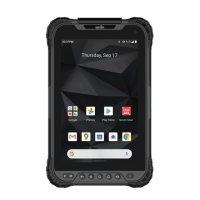
Details the physical buttons, sensors, cameras, and ports on the device.
Step-by-step guide to unfastening the handstrap to access the battery cover.
Instructions on how to detach the battery cover after unlocking.
Guide for inserting SIM and microSD cards into their respective slots.
Steps for correctly inserting the battery and securing the battery cover.
Instructions for safely removing the battery from the device compartment.
Instructions for charging the device for the first time before initial use.
How to power the device on, off, and manage its sleep mode.
Connecting to and managing Wi-Fi networks, including adding new ones.
Setting up and managing mobile data, roaming, and data usage.
Sharing the device's internet connection via USB, Wi-Fi hotspot, or Bluetooth.
How to enable airplane mode to disable wireless communications.
Enabling Bluetooth, pairing devices, and using Bluetooth for tethering.
Utilizing NFC for data transfer and screen casting to other devices.
Instructions for configuring and using the device for printing services.
Adjusting brightness, night light, wallpapers, and screen timeout settings.
Monitoring battery level, usage, and enabling battery saver mode.
Adjusting media, alarm, and notification volumes, plus sound effects.
Viewing memory usage categorized by app types and system data.
Managing app permissions, passwords, autofill, and location history.
Enhancing device usability for individuals with disabilities.
Configuring and managing various Google services linked to the device.
Setting the device language and managing keyboard and text input.
Checking for and installing the latest software updates for the device.
Using the integrated barcode scanner for data capture and scanning configurations.
Guidelines for safe battery and charger usage, handling, and precautions.
Warnings about hearing protection and safe Wi-Fi usage in specific areas.
Detailed instructions for proper battery charging, maintenance, and disposal.
 General
| Platform | Android |
|---|---|
| Operating system installed | Android 10 |
| Processor cores | 8 |
| Processor family | Qualcomm Snapdragon |
| Processor frequency | 2.2 GHz |
| Processor manufacturer | Qualcomm |
| 4G standard | LTE |
| SIM card type | NanoSIM |
| Wi-Fi standards | 802.11a, 802.11b, 802.11g, Wi-Fi 4 (802.11n), Wi-Fi 5 (802.11ac) |
| Bluetooth version | 4.2 |
| Top Wi-Fi standard | Wi-Fi 5 (802.11ac) |
| Mobile network connection | Yes |
| Mobile network generation | 4G |
| Storage media | Flash |
| Compatible memory cards | MicroSD (TransFlash) |
| Maximum memory card size | 256 GB |
| Internal storage capacity | 64 GB |
| Internal memory | 4 GB |
| Device type | Mobile tablet |
| Form factor | Slate |
| Product color | Black |
| Protection features | Chemical resistant, Waterproof |
| International Protection (IP) code | IP67 |
| Battery capacity | 8200 mAh |
| USB 2.0 Type-C ports quantity | 1 |
| Display diagonal | 8 \ |
| Display resolution | 1920 x 1200 pixels |
| Rear camera type | Single camera |
| Rear camera resolution (numeric) | 13 MP |
| Front camera resolution (numeric) | 5 MP |
| Cables included | USB Type-C |
 Weight and Dimensions
| Depth | 146 mm |
|---|---|
| Width | 235 mm |
| Height | 15 mm |
| Weight | 673 g |

 To Next Page