10
Outputting an unbalanced signal via the 1/4” jack is
very useful for quickly conrming one or multiple DI
boxes connected to a mixing console.
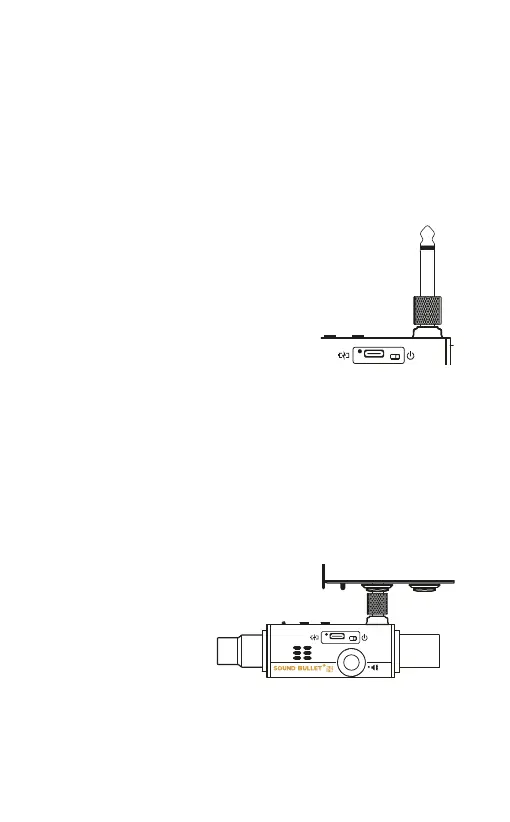
The provided 1/4” jack-jack adaptor allows
you to quickly plug the Sound Bullet straight
into the hi-Z input of a DI Box.
Simply switch on the Sound Bullet, which will start
to generate pink noise. Direct the generator to the
1/4” jack by pressing TO. As a conrmation, you’ll
hear pink noise coming out of the speaker*, along
with the function LED turning blue. With the jack
adaptor inserted, plug the Sound Bullet into the DI
box and check for pink noise being received at the
mixing console.
*Adjusting the speaker’s volume by the thumbwheel will
not affect the output of the 1/4” jack.
Test a DI box


 To Next Page