9
XLR line
line OK
pin 1 defective
pin 2 defective
pin 3 defective
Examples of Use
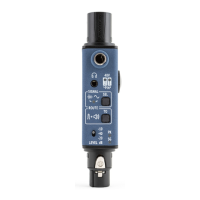
The Sound Bullet can test lines of a multicore line
system connected to the inputs of a sound console.
Activating Phantom Power on the input channels
desired to be checked will allow for simultaneous test
of all three cores of the XLR line. Simply switch on the
Sound Bullet, which will start to generate pink noise,
and plug it into the XLR line. The operator at the sound
console will listen out for the pink noise while the
sound engineer on the other end will check the 48V
indication on the Sound Bullet (see table). This will
determine if all pins of each XLR line are functional,
and conrm that the patch is correct.
Line-check a multicore


 To Next Page