6
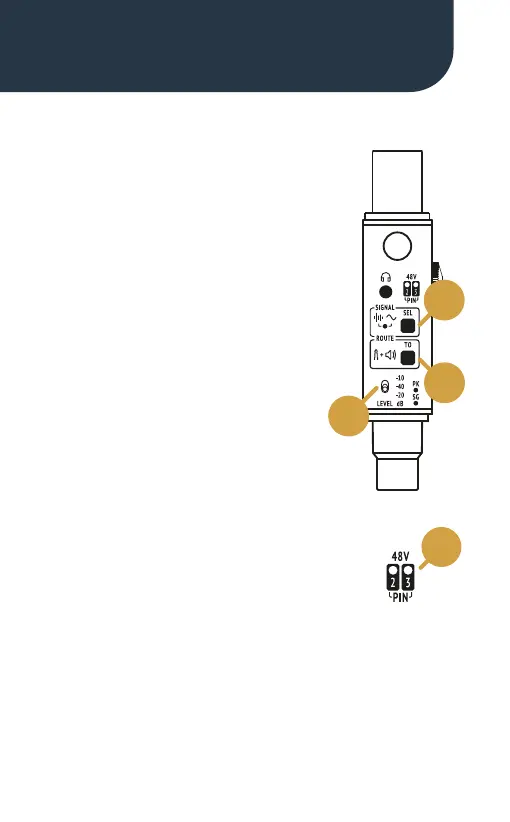
When switched on, the Sound Bullet
generates pink noise, which is routed
to the output XLR by default.
A 1 kHz sine wave can be selected
by pressing the SEL button (1).
Press the TO button (2) to route the
generator to the 1/4” jack and the
internal speaker/headphones output.
The generator’s output can be
adjusted to three levels:
-40, -20 and -10 dBu (3).
The Sound Bullet checks for Phantom
Power voltage, which is individually
metered on pins 2 and 3 of the output XLR.
Two dedicated LEDs (4) will illuminate
according to the P48 voltage standard (48 V ±4 V).
If the voltage detected is below 44 V and above 24 V,
the LEDs will ash slowly.
Signal Generator
48V check
Product Overview
1
2
3
4


 To Next Page