INTELLIGENT Control Panel Manual v202205
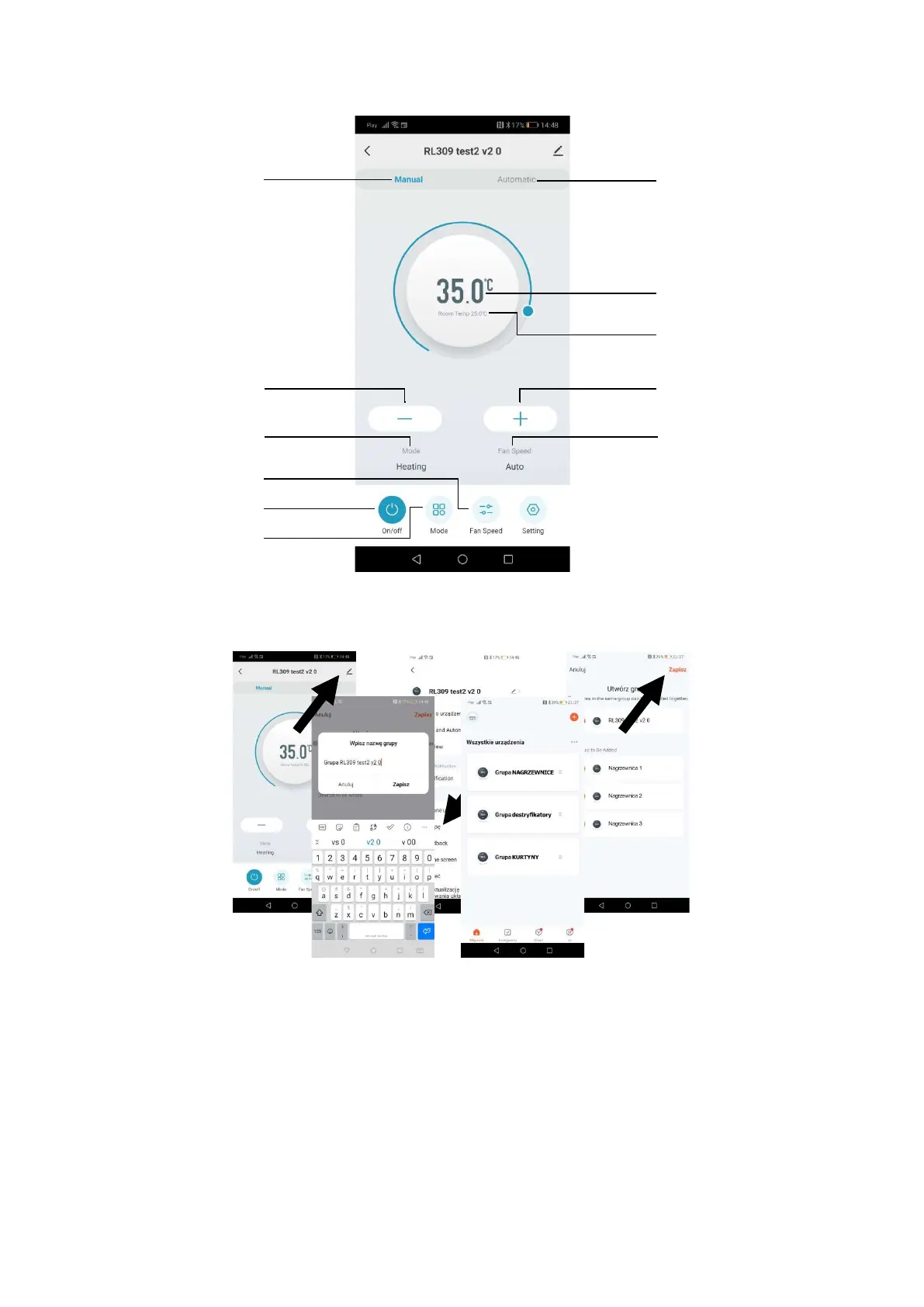
8.2. BASIC FUNCTIONS
8.3. CREATING A GROUP OF CONTROL PANELS
a) In Tuya Smart choose the paired control panel then select the symbol next to the controller’s name. A menu will open,
where the option „Create a group” must be picked.
b) After selecting the devices and confirming it with „Save” the group of controlles can be
customized and saved. When it is succesfully created, the group will be displayed on the top of the devices list.
ON/OFF
Mode
Fan speed
Actual mode
Actual fan speed
perature
ture
temperature
temperature
Manual work
mode


 To Next Page