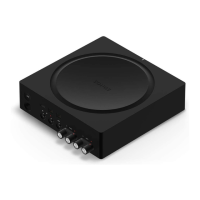
1 Make sure your speakers are
compatible with Amp:
2 Remove the cap from the banana
plug to reveal the connection hole.
3 Insert the stripped end of the speaker
wire into the hole, then put the cap
back on the banana plug to secure
the connection.
Note: Connect the red (+) and black
(-) terminals from each speaker to the
corresponding banana plugs and
terminals on Amp. Mismatching of
polarities will result in weak central
sound and a distorted sense of sound
direction.
Your speakers’ power rating
should be at least 125W for 8 ohm
speakers, and at least 200W for 4
ohm speakers. Do not connect
speakers rated at less than 4 ohm.
Amp can drive speakers with
nominal impedance above 4
ohms. Two pairs of 8 ohm
speakers wired in parallel are also
supported. Don’t wire your
speakers in series because it will
result in poor sound quality.


 To Next Page