10
Mode introduction:
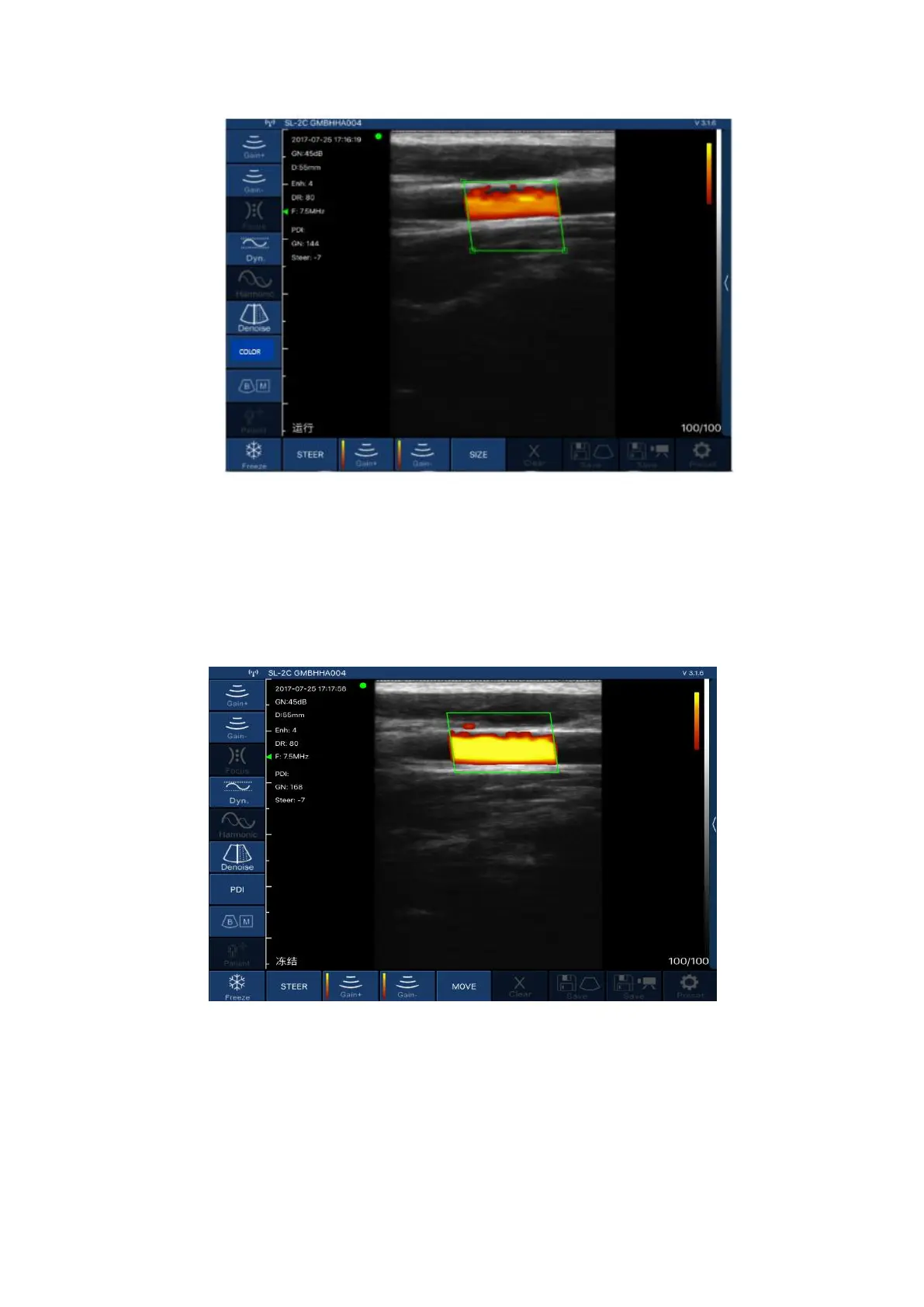
Picture 3-2 Color Doppler imaging mode
Color Doppler imaging mode, Picture 3-2:
1.Color sampling frame: change the direction of the color sampling frame.
2.Gain +: increase color blood flow gain.
3.Gain -: reduce color flow gain.
4.Move, Zoom: change the position and size of the color sampling frame by clicking and moving with
your finger.
Picture 3-3 Energy Doppler imaging mode
Energy Doppler imaging mode, Picture 3-3:
1.Color sampling frame: change the direction of the color sampling frame.
2.Gain +: increase energy blood flow gain.
3.Gain -: reduce energy blood flow gain.
4.Move, Zoom: change the position and size of the color sampling frame by clicking and moving with
your finger.


 To Next Page