14
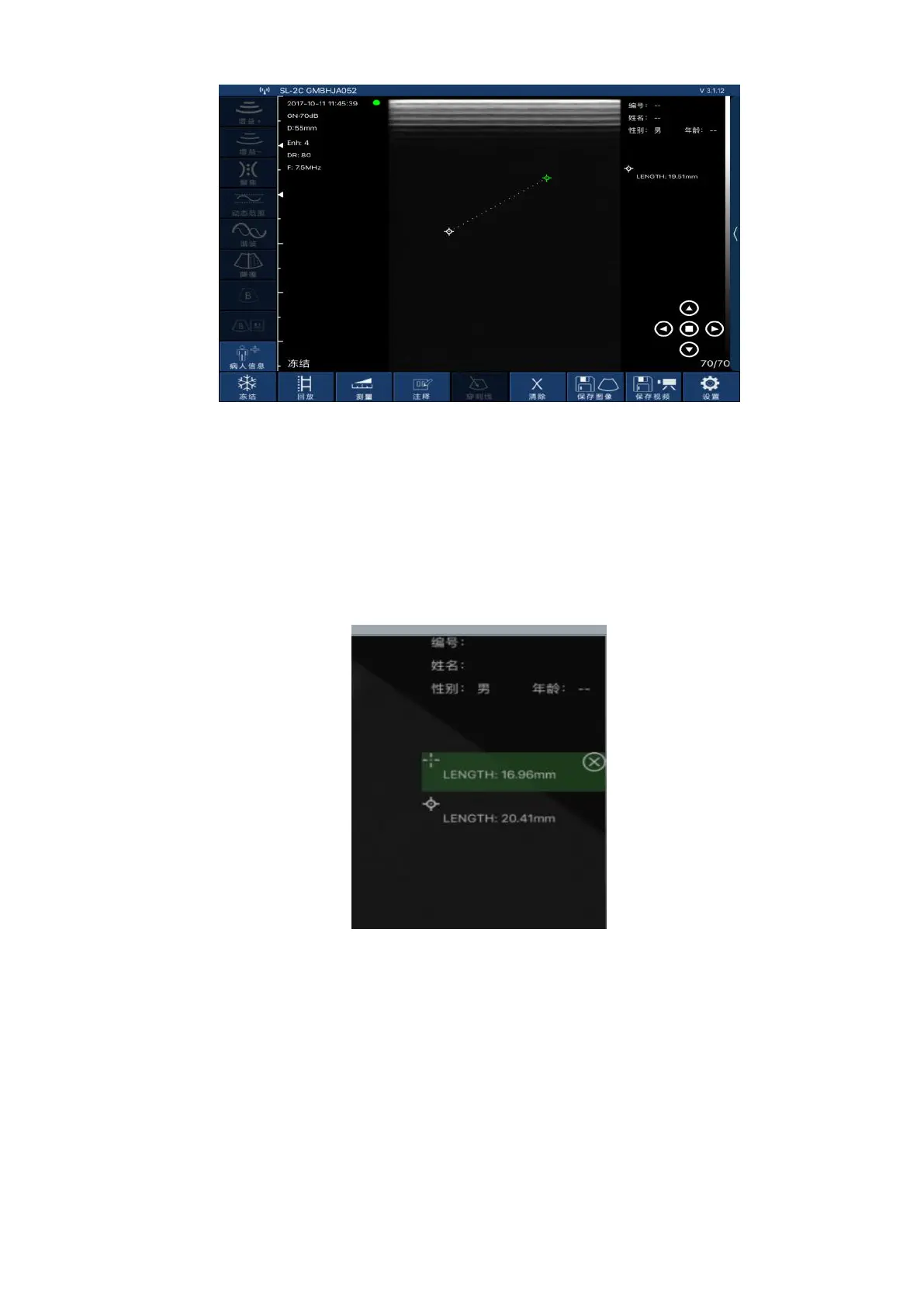
Picture 3-10
Up to 4 sets of data can be measured in the same frozen screen. After the measurement, press
“Clear X” to delete all measurement results. If you want to delete a measurement, click on the
measurement data at the top right of the screen to display the result.
3-11
,
Within the same freeze frame, the measurement can be at most four sets of data. After finish
the measurement, press the "remove X" can delete all measurements; if you want to delete one
measurement, click measuring data result on the top right screen , immediately appear below as
shown in figure 3 to 11, click "ⓧ" on the right side of the data, delete the measurement data.
Figure3-11 Delete part of the measurement data
3.3.4 Report download
Click on the "patient information" on the lower left of the software interface ,
then pop-up below patient information interface.


 To Next Page