12
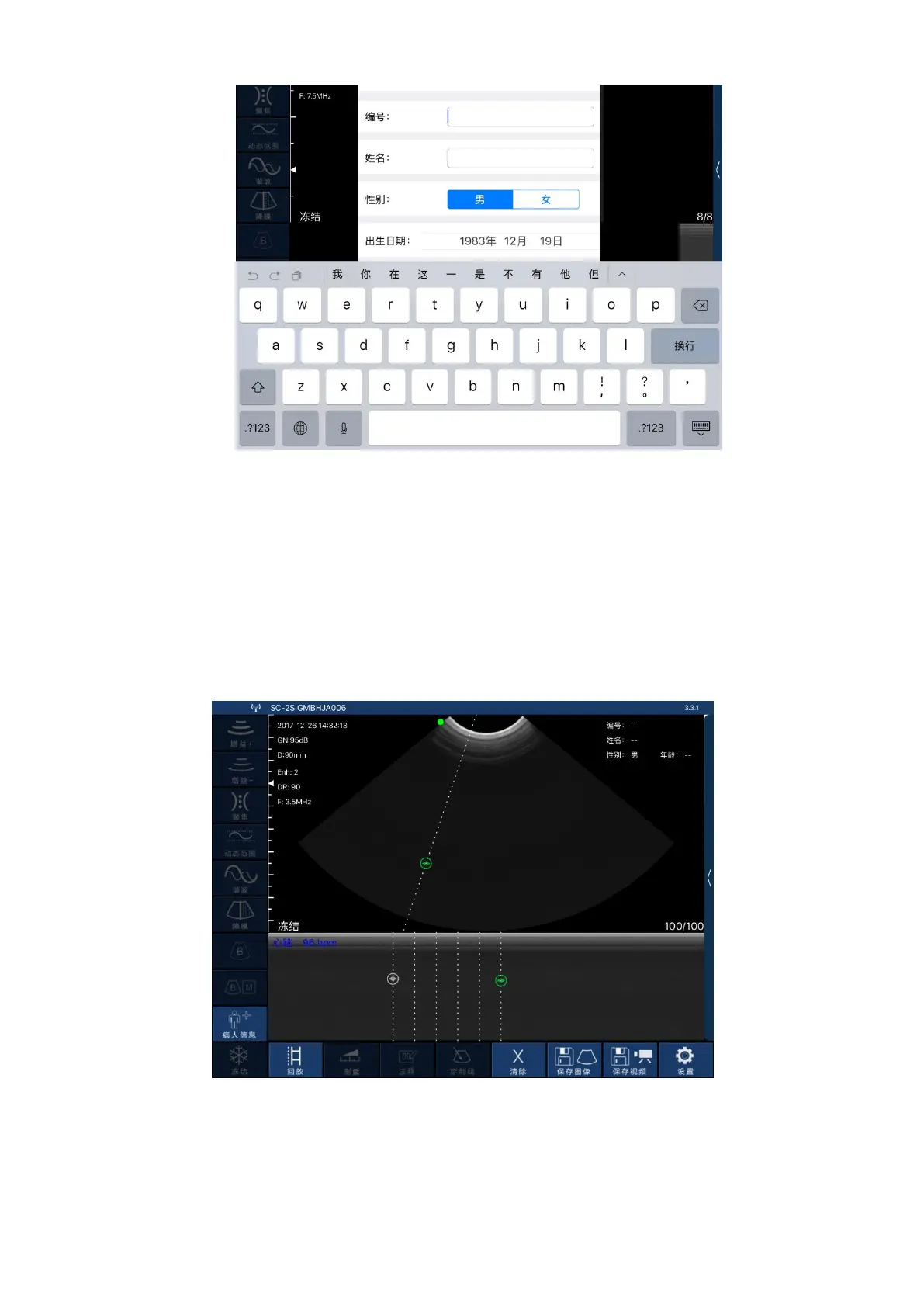
Picture 3-6 Patient Information Editing Interface
3.3.3 Data measurement
In B/M mode, the position of the sampling line can be adjusted by tapping the moving circle on
the screen with your finger (as shown in Picture 3-7 below).
In the frozen state of B/M mode, click the M mode area, the moving circle can appear, the heart
rate can be measured, and the default number of cardiac weeks is 5 weeks (five-segment, that isfive
heartbeat intervals are taken and the average heart rate is calculated).
Picture 3-7 Measuring the heartbeat interface
Click “Measure” in the B mode freeze state, and then the ten measurement functions of the
screen shown in Picture 3-8 will pop up. Users should select the appropriate measurement function
according to the product probe model, the applicable range and the data to be measured.


 To Next Page