11
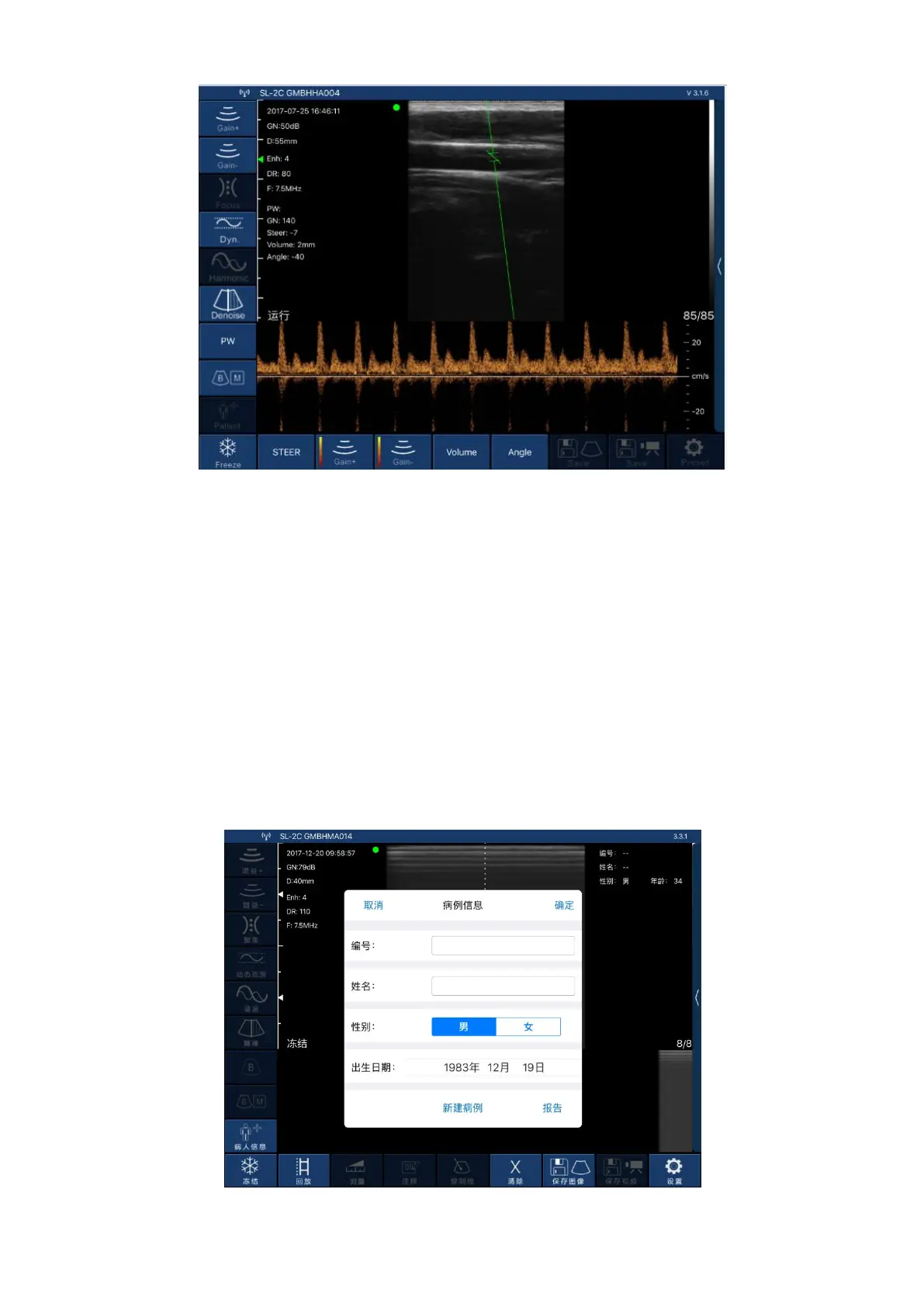
Picture 3-4 Pulse Doppler imaging mode
Pulse Doppler imaging mode, Picture 3-4:
1.Gain +: increase pulse gain.
2.Gain -: reduce pulse gain.
3.Deflection angle: used to change the angle of the spectrum sampling line in real-time scanning
state.
4.Sampling frame: change the size of the sampling volume.
5.Correction angle: used to change the angle of the blood flow direction cursor.
3.3.2 Patient information input
Click on the software interface "Patient Information", thethe interface patient information will pop
up as below Picture 3-5 shows:
Picture 3-5 Pop-up patient information interface
Enter the patient information in the number and name fields, click on the gender and click OK. The
patient information is entered. If you make a mistake, you can click Cancel or create a new case.


 To Next Page