Manual Supercom 636 R+W rev. 010312 6
3. How to use
3.1 Introduction
There’re two possibilities to communicate with the modem Supercom 636: USB or Bluetooth. Both
are using M-Bus protocol.
3.1.1 USB
Speed: 38’400 bauds
Bits: 8 bits
Parity: even
Stop bit: 1
The USB driver (virtual com port) you find on the CD delivered with the set radio modem Supercom
636 or on the internet at the following address:
://www.ftdichip.com/FTDrivers.htm
This driver is requested only at the first connection of the radio modem to the PC. Thereafter the
communication will then be available from a com port (COMx).
3.1.2 Switch ON/OFF the modem
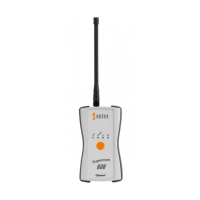
With the orange button the radio modem Supercom 636 can be switched ON and OFF.
After 10 minutes of inactivity the radio modem Supercom 636 shuts down by itself.
3.1.3 Bluetooth
For the start up the modem must first connect with the remote system.
To establish connection the following steps must be followed and completed:
Switch ON the radio modem Supercom 636 over the orange button.
The blue LED indicates that the modem Supercom 636 is visible to other Bluetooth devices.
On the remote device (PDA) search for Bluetooth devices in your area.
Check the manual of your remote device for instructions.
Once the remote device found the modem radio Supercom 636 the remote device will display
its name and serial number (e.g. Supercom 636 S/N: 08094002).
Select it and enter the following password if necessary: 0000
Depending on the remote device you have to indicate a COM port number for the outgoing
communication. Please check the manual of your remote device for instructions. This task
must only be performed once.
Once the remote device opens a communication port to the radio modem Supercom 636 the
blue LED is blinking as long the port is open. When the port is closed the blue LED is on but
not blinking.


 To Next Page