Manual Supercom 636 R+W rev. 010312 7
3.1.4 LED display
There’re four LEDs on the front of the device.
Link : (Blue)
A Bluetooth communication port is opened.
Charge: (Red)
** If the accumulators are near empty the device shuts down by itself.
Tx : (yellow)
A byte is transmitted via radio
Rx : (yellow)
A byte is received via radio
3.1.4.1 Switch ON sequence
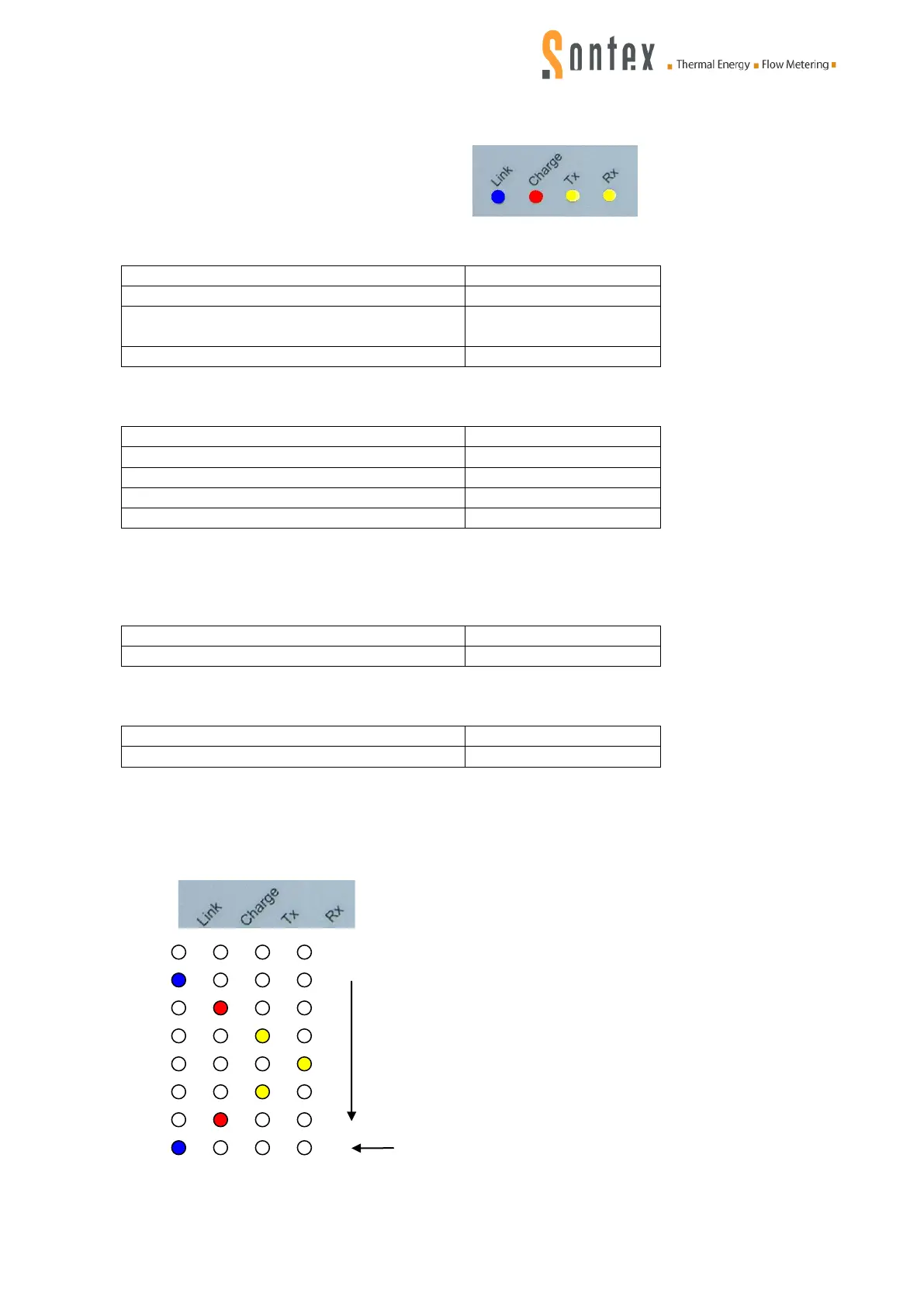
By turning ON the Supercom 636, the following LEDs sequence is running:
If another sequence is running contact your local Sontex agent or the Sontex technical support.
(See last page of this document for contacts).
The blue LED stays ON


 To Next Page