Getting to know your P910i 21
This is the Internet version of the user’s guide. © Print only for private use.
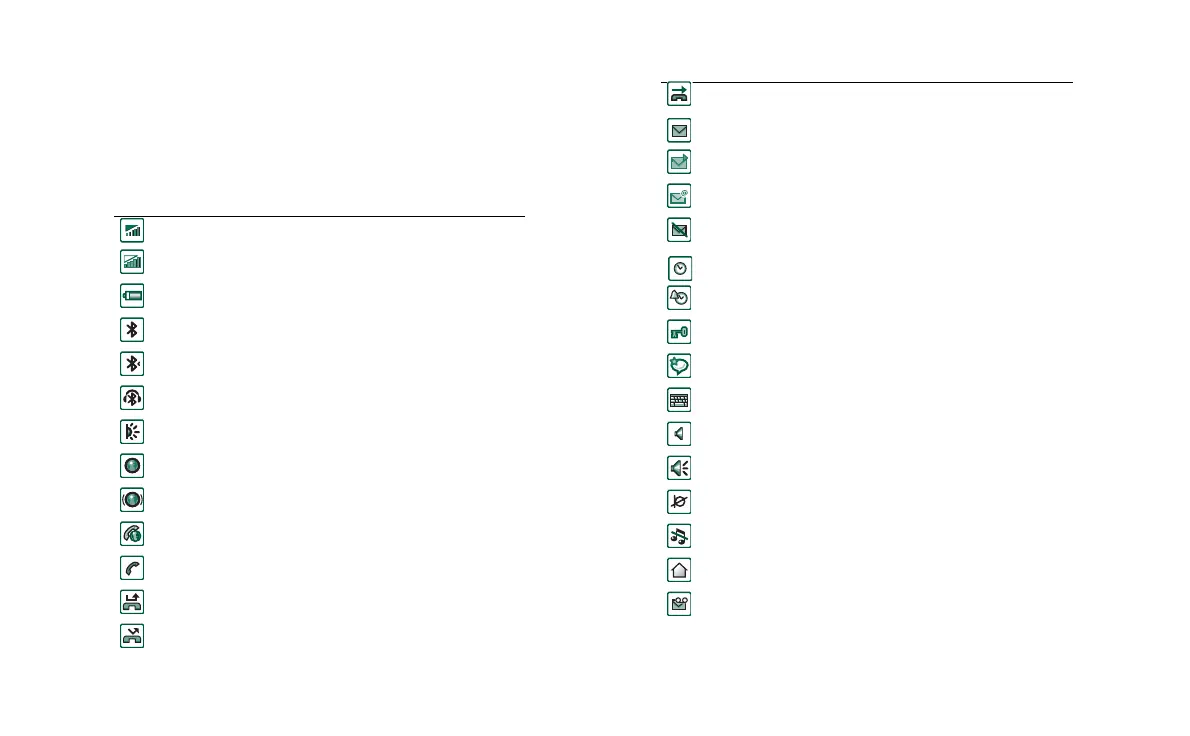
Indicators and status bar icons
These icons appear in the flip closed standby screen or in the
status bar when the flip is open. When the flip is open, you can
often tap the icons to get more detailed information or start an
application.
Icon Function
Signal strength, GPRS avialable
Signal strength, GPRS not avialable
Battery strength
Bluetooth on
Bluetooth discoverable
Bluetooth headset connected
Infrared on
GPRS active
GPRS data transfer in progress
Ongoing data call
Ongoing call
Missed call
Divert all calls notification
Calls screened
SMS notification
MMS notification
Email notification
SMS overflow
Time
Time, alarm set
Keylock
Magic word
Keyboard
Multimedia volume
Speakerphone
Muted microphone
Silent mode
Home network
Voicemail notification
Icon Function














 To Next Page