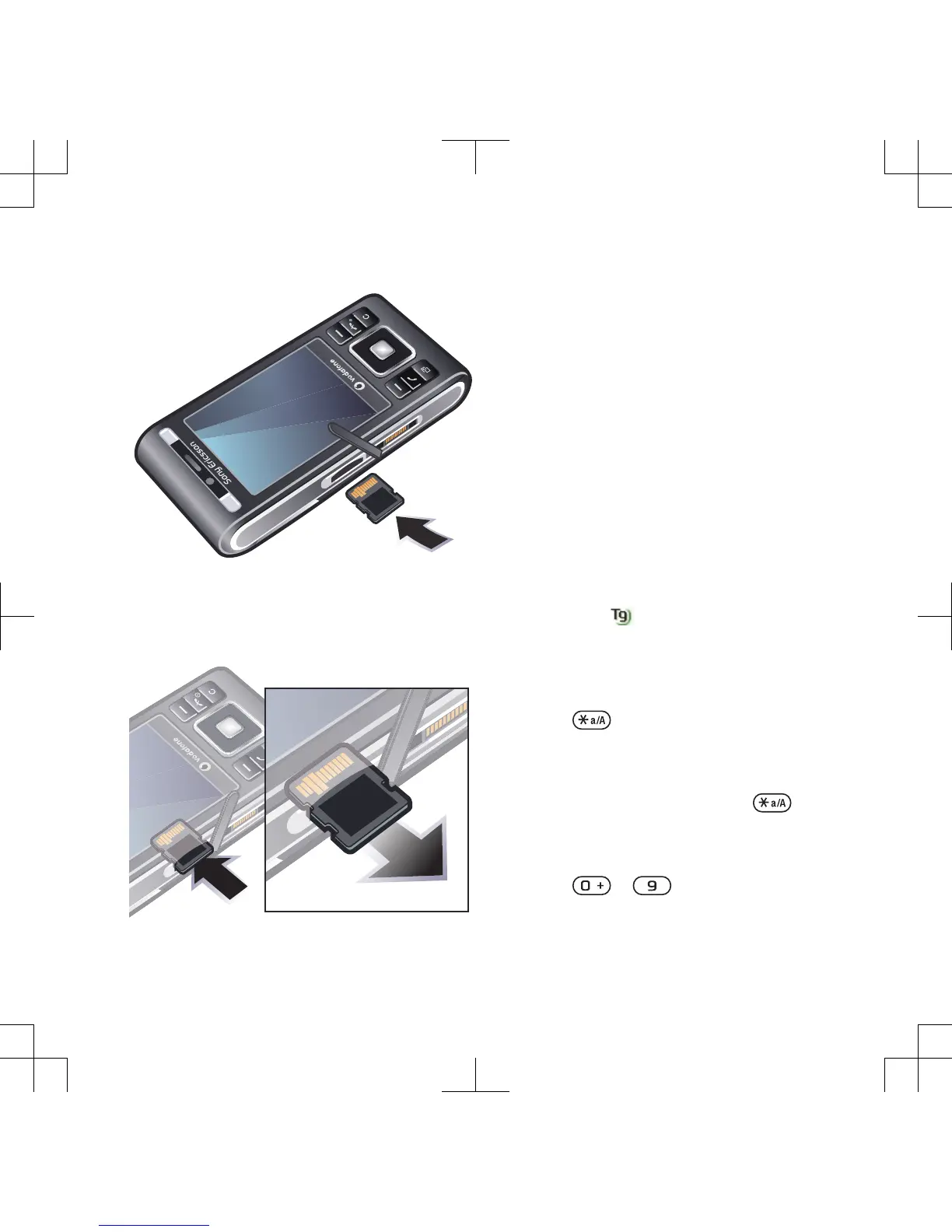
To insert a memory card
•
Enter your first step here.
To remove a memory card
•
Open the cover and press the edge of
the memory card to release and
remove it.
Phone language
You can select a language to use in
your phone.
To change the phone language
1
From standby select Menu > Settings >
the General tab > Language > Phone
language.
2
Select an option.
Entering text
You can use multitap text input or T9™
Text Input
to enter text. The T9 Text
Input method uses a built-in dictionary.
To change text input method
•
When you enter text, press and hold
down .
To shift between capitals and lower-
case letters
•
When you enter text, press .
To enter numbers
•
When you enter text, press and hold
down
– .
Getting started 17












 To Next Page