Getting started
Assembly
Before you start using your phone, you
need to insert a SIM card and the
battery.
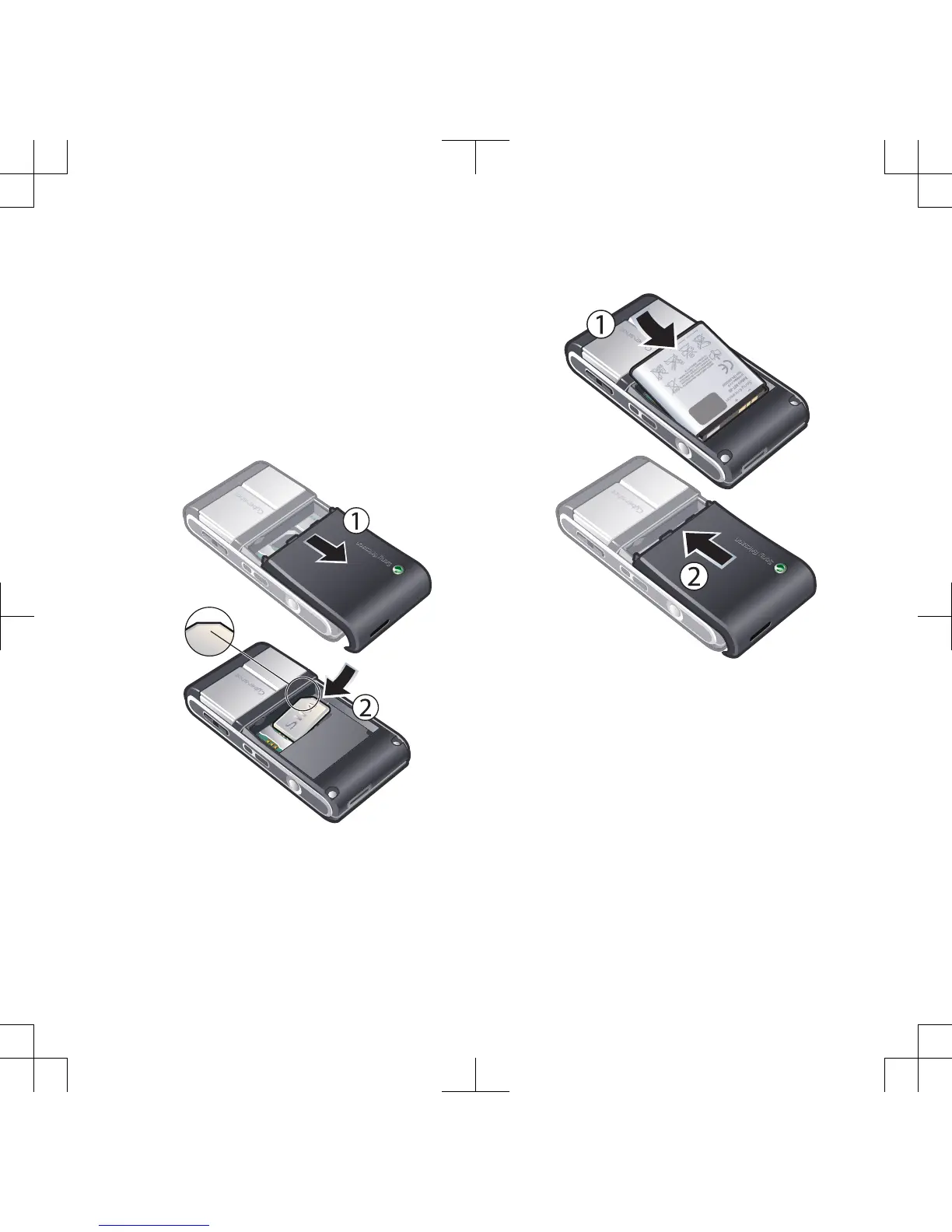
To insert the SIM card
1
Remove the battery cover.
2
Slide the SIM card into its holder with
the gold-coloured contacts facing
down.
To insert the battery
1
Insert the battery with the label side up
and the connectors facing each other.
2
Slide the battery cover into place.
Getting started 7












 To Next Page