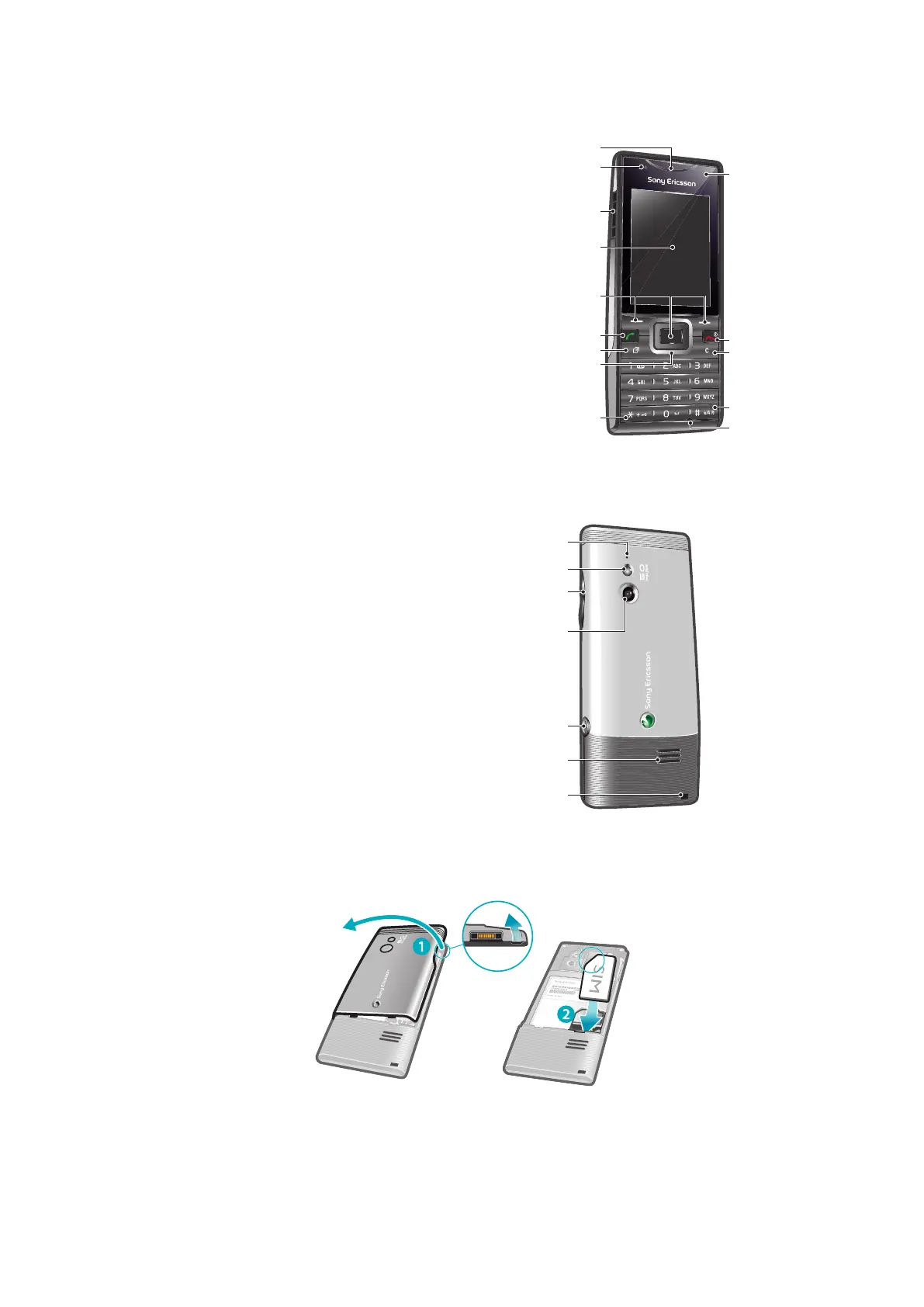
Phone overview
1 Ear speaker
2 Light sensor
3 Connector for charger, handsfree and USB cable
4 Screen
5 Selection keys
6 Call key
7 Activity menu key
8 Navigation key
9 Keylock key
10 Video call camera*
11 End key, On/off key
12 C key (Clear)
13 Silent key
14 Microphone
15 Microphone
16 Flashlight
17 Volume, digital zoom key
18 Main camera lens
19 Camera key
20 Speaker
21 Strap hole
* The video call camera may not be available on your phone.
To insert the SIM card
1
Remove the battery cover.
2
Slide the SIM card into its holder with the gold-coloured contacts facing down.
6
This is an Internet version of this publication. © Print only for private use.













 To Next Page