9
Getting started
More information
You can start the se
tup wizard from
the menu system at any time.
To activate the setup wizard
} Settings
} the General
tab
} Setup wizard
.
Start-up menu
When the start-up menu is activated,
each time you turn on the phone, you
can select to listen to music only, with
phone network transmitters turned off.
This prevents distur
bance of sensitive
equipment, for example, in an
aeroplane where calls and messages
are prohibited. You cannot make calls,
receive calls, or send messages, etc.
You can only use the WALKMAN™
player. If you have selected
Music
only, some limited functions are still
available such as the alarm, calendar
and task reminders.
To deactivate the start-up menu
} Settings
and scroll to the
General
tab } Start-up menu
.
Select
Don´t show
.
To make and receive calls
1 Enter the phone number (with
international prefix and area code if
applicable)
} Call
to make the call and
}
End call to end the call.
2 } Contacts
and select the contact to
call. Use or to select a number.
3 When the phone rings
} Answer
or
} Busy to reject the call.
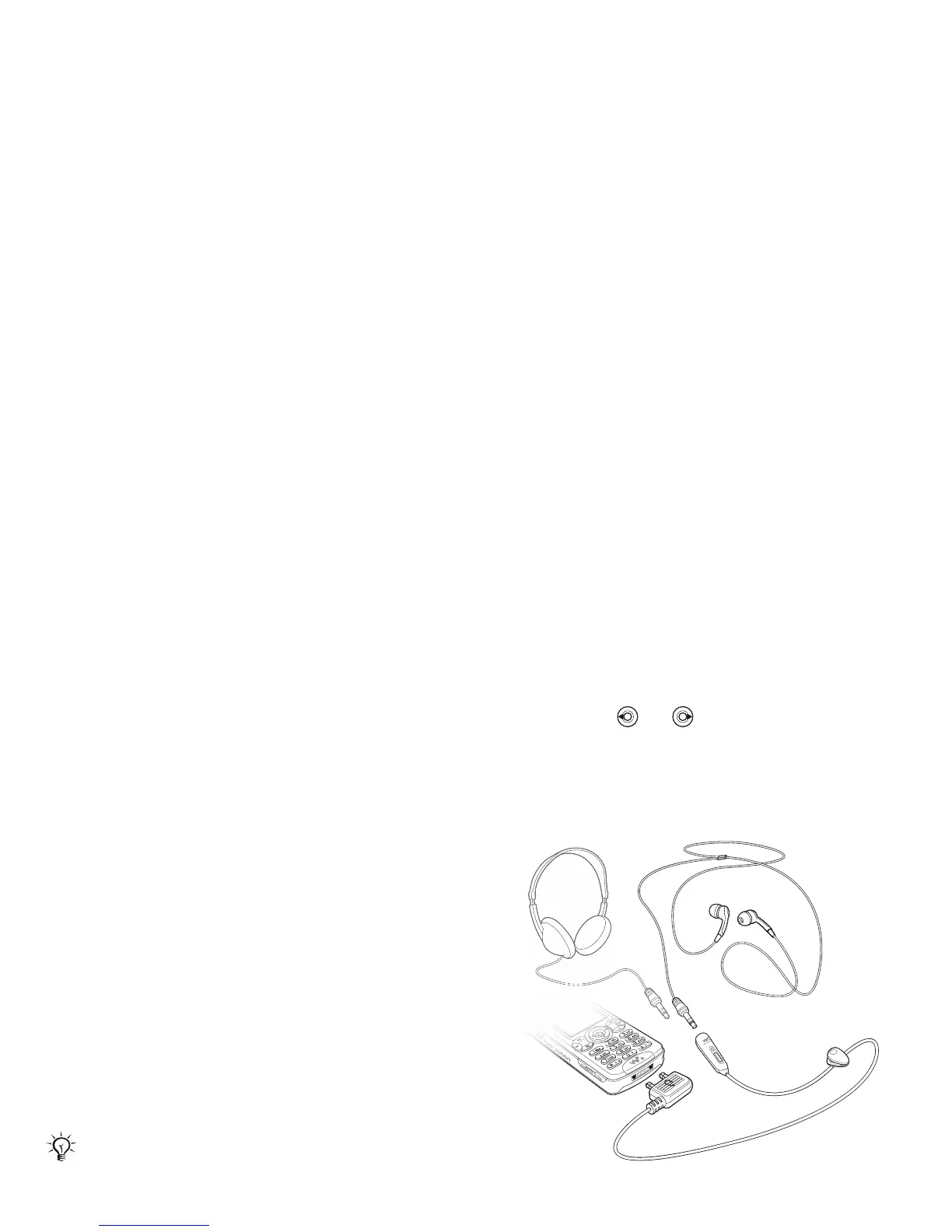
Stereo handsfree headset
You can connect othe
r headphones to
your stereo handsf
ree headset using
the 3.5 mm jack.
Always follow regulations and flight crew
instructions with re
spect to onboard use
of electronic devices.
You can still answer calls and use the
microphone when other headphones are
in use.
This is the Internet version of the user's guide. © Print only for private use.
Contents 1
Contents
Getting to know your phone 4
Key functions, quick keys, entering letters and characters.
Personalizing your phone 22
Download settings or choose from the phone.
Calling 31
Use the Phonebook, voice control, call options.
Messaging 51
Multimedia messaging, chat and e-mail.
Camera 60
Use the camera.
Setting up WAP and e-mail 63
All you need to know about setting up WAP and e-mail.
Using WAP 71
WAP browser, bookmarks.
Transferring and exchanging information 74
Bluetooth wireless technology, synchronization.
More features 79
Calendar, alarm clock, stopwatch, timer, games.
Security 87
SIM card lock, phone lock.
Troubleshooting 89
Why doesn’t the phone work the way I want?
Additional information 91
Safe and efficient use, warranty, declaration of conformity.
Icons 98
What do the icons mean?
Index 105
Sony Ericsson T618












 To Next Page