53
Entertainment
Entertainment
WALKMAN
™, radio, PlayNow™,
ringtones, MusicDJ™, VideoDJ™,
games and more.
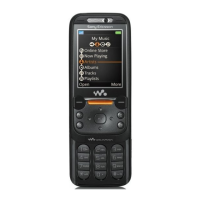
WALKMAN™ player
The WALKMAN™ player is an all in
one music and video player. The
following file types are supported:
MP3, MP4, 3GP, AAC, AMR, MIDI,
IMY, EMY and WAV (16 kHz maximum
sample rate). Yo
u can also use
streamed files that are 3GPP
compatible.
To transfer files with the provided
USB cable
%
71 Transferring files
using the USB cable.
Transferring music
Disc2Phone
computer software and
USB drivers are included on the CD
that comes with your phone. Use
Disc2Phone
to transfer music from
CDs or your computer to your phone
memory or Memory Stick PRO Duo™
in your phone.
To install Disc2Phone
1 Turn on your computer and insert the
CD that comes with your phone. The
CD starts automa
tically and the
installation window opens.
2 Select a language and click
OK.
3 Click
Install
Disc2Phone
and follow the
instructions. During installation, you
can choose to have a
Disc2Phone
icon
appear on the desktop.
To use Disc2Phone
1 Connect your phone to a computer
with the USB cable that comes with
your phone
%
71 Transferring files
using the USB cable
.
2 Computer
: If the Found New
Hardware Wizard
appears, click
Cancel to exit the wizard.
3
Phone: If your phone is turned off,
it automatica
lly sets to
File transfer
.
If your phone is turned on, }
File
transfer
in the pop-up. Your phone will
turn off and prepare for file transfer.
AMR and MIDI files are only visible and
possible to play with the WALKMAN
player if they are copyright protected.
However, you can listen to other AMR
and MIDI files, using the file manager.
Your computer needs
to have one of the
following operating systems to be able to
use Disc2Phone: Windows® 2000 SP3/
SP4, XP Home SP1/SP2 or XP
Professional SP1/SP2.
This is the Internet version of the user's guide. © Print only for private use.
Contents 1
Contents
Getting to know your phone 4
Key functions, quick keys, entering letters and characters.
Personalizing your phone 22
Download settings or choose from the phone.
Calling 31
Use the Phonebook, voice control, call options.
Messaging 51
Multimedia messaging, chat and e-mail.
Camera 60
Use the camera.
Setting up WAP and e-mail 63
All you need to know about setting up WAP and e-mail.
Using WAP 71
WAP browser, bookmarks.
Transferring and exchanging information 74
Bluetooth wireless technology, synchronization.
More features 79
Calendar, alarm clock, stopwatch, timer, games.
Security 87
SIM card lock, phone lock.
Troubleshooting 89
Why doesn’t the phone work the way I want?
Additional information 91
Safe and efficient use, warranty, declaration of conformity.
Icons 98
What do the icons mean?
Index 105
Sony Ericsson T618






 To Next Page