Chapter 2 Fitting and Connections
Chapter 2 Fitting and Connections 37
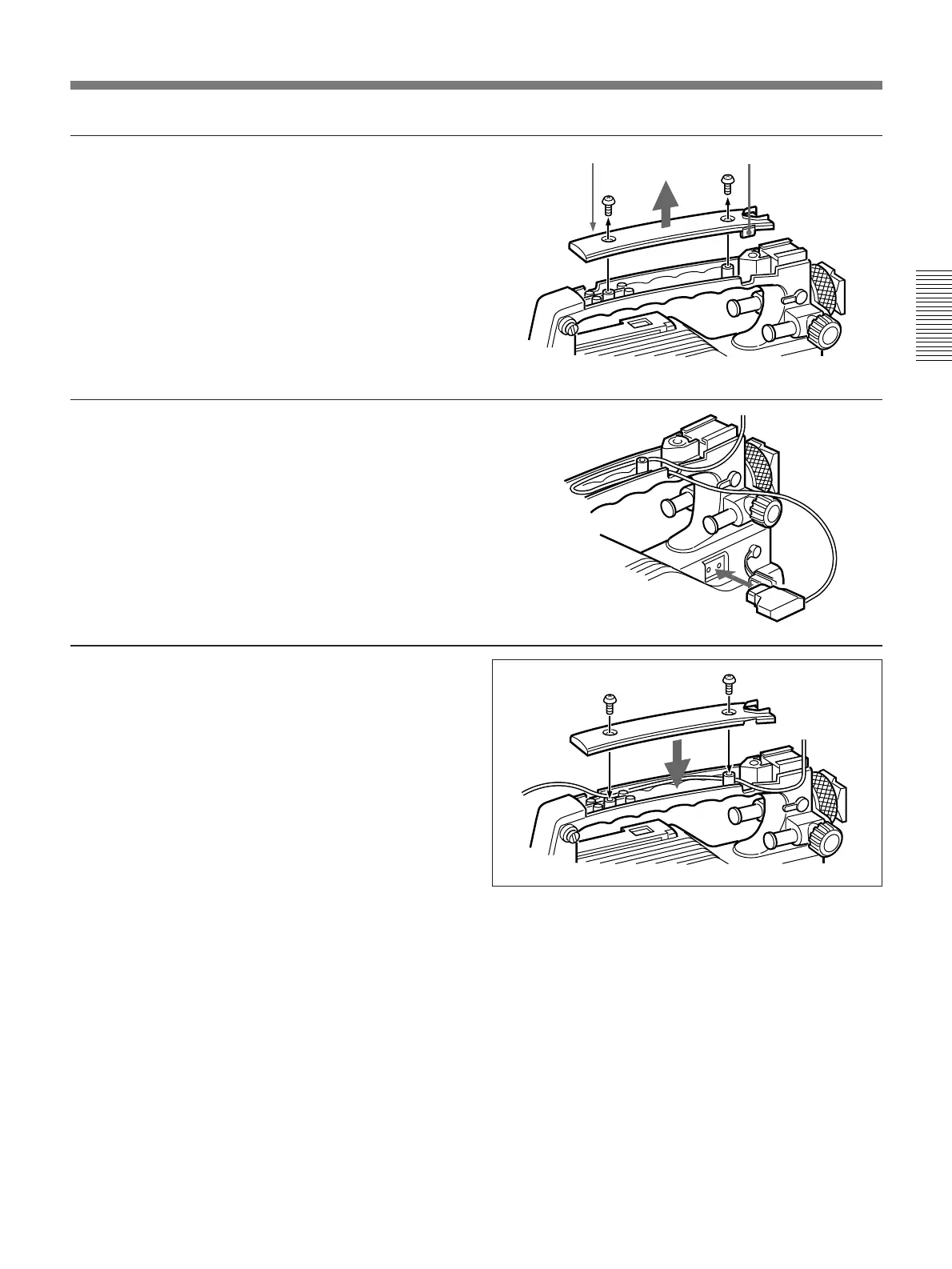
1 Remove the cover of the
camcorder grip and break off
projection A (see the figure).
2 Pass the cable through the grip
as shown in the figure and
replace the cover.
When using equipment other than the
camcorder for power supply
Break off projections A and B on the camcorder. (See
step 1 of the previous section “When using a video
light with a long cable”.) Insert the cable into the grip
from the front hole and take out from the rear hole as
shown in the figure.
Projection B
Projection A



 To Next Page