EasyManua.ls Logo

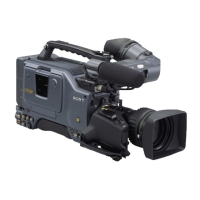
Sony 300PF - User Manual

Sony 300PF
124 pages
Print Icon
To Next Page IconTo Next Page
Loading...
1998 by Sony Corporation
Operating Instructions
Before operating the unit, please read this manual
thoroughly and retain it for future reference.
3-861-961-12(1)
Digital Camcorder
DSR-300F/300PF
DSR-300K/300PK
DSR-300L/300PL

Table of Contents

Questions and Answers

  • D
    Douglas KnappAug 18, 2025
    Why my Sony 300PF does not turn on?
    • S
      Shelby MorseAug 19, 2025
      If your Sony Camcorder isn't powering on, it might be due to several reasons. First, ensure a battery pack is properly loaded. If a battery is already loaded, it may be at the end of its life and needs replacing with a fully charged one. Also, verify that the AC power adapter is correctly connected and turned on.
  • T
    Timothy RobertsonAug 21, 2025
    How to fix distorted recorded sound on Sony Camcorder?
    • R
      Roberta FloresAug 21, 2025
      If the recorded sound on your Sony Camcorder is distorted, the audio level is likely too high. Adjust the setting of the AUDIO LEVEL (CH-1/CH-2) knobs, and record again.
  • M
    Michael HernandezAug 23, 2025
    What to do if my Sony 300PF power cuts while operating?
    • J
      Jennifer ThompsonAug 23, 2025
      If the power supply to your Sony Camcorder cuts off during operation, the battery pack is likely exhausted. Replace it with a fully charged battery pack.
  • M
    Michael TurnerAug 26, 2025
    Why my Sony 300PF won't eject cassette and has poor playback quality?
    • A
      Anthony MoranAug 26, 2025
      If you're having trouble ejecting the cassette, experiencing poor playback picture quality, or the playback picture doesn't appear on your Sony Camcorder, there could be a few reasons. First, ensure that the battery pack isn't exhausted; if it is, replace it with a fully charged one. Next, make sure the POWER switch is turned on. Finally, confirm that the cassette holder is securely closed after inserting the cassette. If the video heads are dirty, clean them using a DVM-12CL Cleaning Cassette.
  • J
    Joseph BatesAug 28, 2025
    Why does my Sony Camcorder battery die so fast?
    • P
      Paige HatfieldAug 28, 2025
      If the battery of your Sony Camcorder drains very quickly, the operating temperature might be very low. In that case, use a BP-L60/L60A or BP-L90/L90A battery. Another possible reason is that the battery pack is inadequately charged, so you should recharge it.
  • A
    afaulknerAug 30, 2025
    What to do if tape transport on Sony 300PF doesn't operate?
    • B
      Brian MaldonadoAug 30, 2025
      If the tape transport on your Sony Camcorder doesn't operate when you press a VTR button, first check if the POWER switch is turned on. Another reason could be that the unit has reached the end of the tape, so rewind the tape or load a new cassette. Also, the cassette might be set record-inhibited, so either load a new cassette or release the record-inhibit. Finally, ensure you're using the correct type of DVCAM or DV cassette.
  • K
    Kurt KramerSep 1, 2025
    Why tape transport on my Sony Camcorder doesn't work?
    • J
      Joy HolmesSep 2, 2025
      If the tape transport does not operate when you press any tape transport button on your Sony Camcorder, it may be because the unit has reached the end of the tape. Either rewind the tape, or load a new cassette. Another possible cause is that the cassette holder is not solidly closed after the cassette is inserted. Press on the “PUSH” indication to close the holder solidly.
  • D
    Debbie SchneiderSep 4, 2025
    Why can't I record audio on my Sony Camcorder?
    • S
      smithkristenSep 4, 2025
      If audio recording is not possible on your Sony Camcorder, check that the AUDIO LEVEL (CH-1/CH-2) knobs are not set to the minimum level. Adjust the setting of the AUDIO LEVEL (CH-1/CH-2) knobs. Also, make sure the AUDIO LEVEL knob on the front is not set to the minimum level; adjust it as needed.
  • M
    Michelle BellSep 6, 2025
    How to reduce noise in recorded sound on Sony 300PF?
    • E
      Emily MartinSep 6, 2025
      If the recorded sound on your Sony Camcorder has a high noise level, the audio level is likely too low. Adjust the setting of the AUDIO LEVEL (CH-1/CH-2) knobs, and record again.
  • T
    Tyler ScottSep 8, 2025
    Why does my Sony 300PF have no playback sound?
    • C
      Catherine NguyenSep 8, 2025
      If you can't hear playback sound and all controls except the EJECT button are disabled on your Sony Camcorder, there is likely condensation on the head drum. Remove the cassette, power off the camcorder, and wait until the condensation has evaporated.

Summary

Chapter 1 Overview

Camcorder Key Features

Details on camera, VCR, and new functions like EZ mode, ATW, and advanced processing.

Chapter 2 Fitting and Connections

Power Supply Options

Details on using battery packs and AC adapters for camcorder power.

Chapter 3 Shooting

Basic Shooting and Recording

Step-by-step guide for starting a shoot, cassette handling, and basic recording.

Chapter 5 Adjustments and Settings

VCR Menu Operations

Guide to configuring the camcorder's VCR settings via the menu system.

Image Adjustments

Procedures for white balance, black balance, shutter, and iris control for image quality.

Appendixes

Maintenance and Troubleshooting

Procedures for cleaning heads and resolving operational issues.

Sony 300PF Specifications

General IconGeneral
BrandSony
Model300PF
CategoryCamcorder
LanguageEnglish

Related product manuals