77
Enjoying Movies
Enhancing the Playback
Picture (DIGITAL VIDEO
ENHANCER)
The Digital Video Enhancer (DVE) function
makes the picture appear clear and crisp by
enhancing the outlines of images on your TV
screen. Also, this function can soften the
images on the screen.
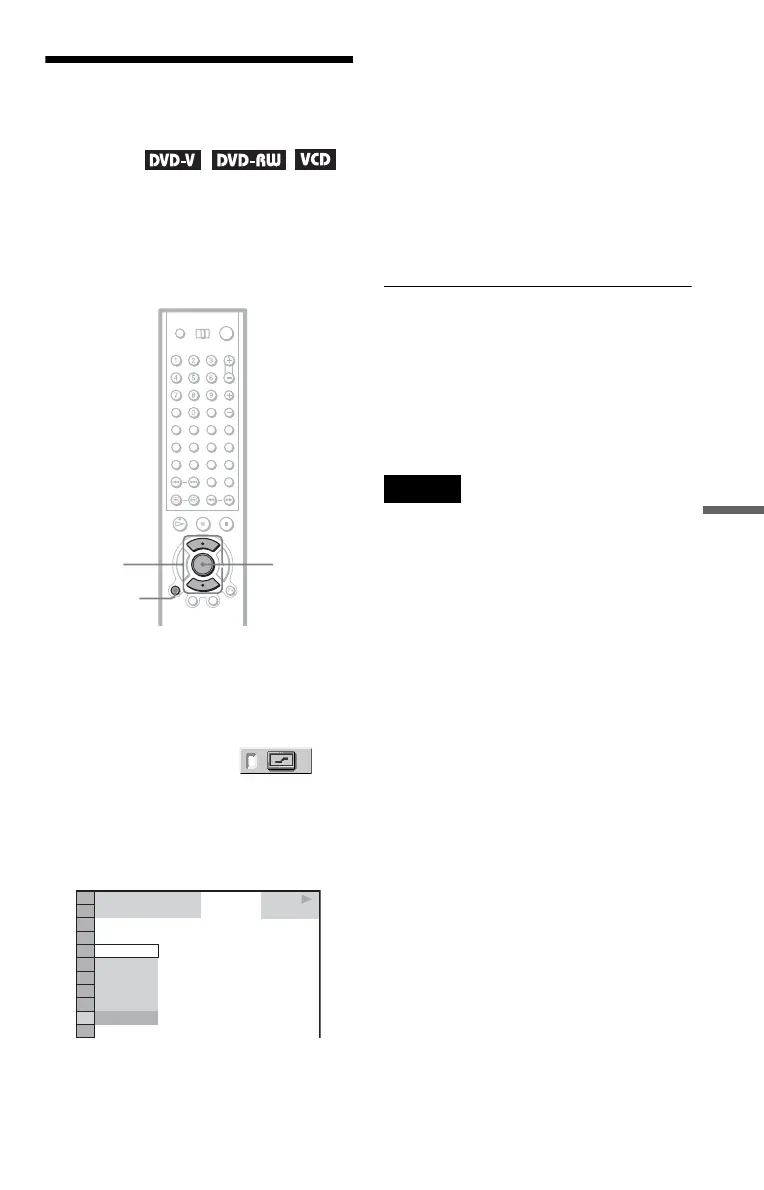
1 Press DISPLAY twice during
playback.
The Control Menu appears.
2 Press X/x to select
(DIGITAL VIDEO ENHANCER), then
press ENTER.
The options for “DIGITAL VIDEO
ENHANCER” appear.
3 Press X/x to select a level.
• 1: enhances the outline.
• 2: enhances the outline more than 1.
• 3: enhances the outline more than 2.
• SOFT: softens the image (DVD
VIDEO/DVD-RW only)
4 Press ENTER.
The disc plays with the setting you
selected.
To cancel the “DIGITAL VIDEO
ENHANCER” setting
Select “OFF” in step 3.
To turn off the Control Menu
Press DISPLAY repeatedly until the Control
Menu is turned off.
Note
Depending on the disc or the scene being played,
noise found in the disc may become more apparent.
If this happens, it is recommended that you use the
BNR function (page 74) with the DVE function. If
the condition still does not improve, reduce the
Digital Video Enhancer level, or select “SOFT”
(DVD VIDEO/DVD-RW only) in step 3.
ENTER
DISPLAY
X/x
1 8
(
3 4
)
1 2
(
2 7
)
DVD
OFF
3
2
1
OFF
SOFT
PLAY


 To Next Page