27
Getting Started
Pick-up condition
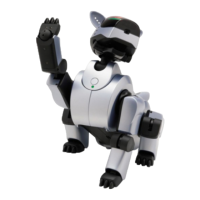
When you lift up AIBO to hold, AIBO draws its legs
in to make it easier for you to hold AIBO (“pick-up
condition”) and moves its head only. This condition
is to prevent you from getting surprised by the
movement of AIBO when picking it up, and then
dropping it.
To return AIBO to Autonomous mode, place it on the
floor or push the head sensor in the back direction for
3 seconds.
Note
When you press two or more of the paw sensors of AIBO, AIBO thinks it is placed on
the floor, and then returns to Autonomous mode. The mode indicator goes off. AIBO
may start walking after returning to Autonomous mode, so do not touch any of its paw
sensors when you hold it.
The mode
indicator
lights up.


 To Next Page