GB
21
GB
Shooting still images
Shooting movies
• Do not pull up the flash manually. This may cause a malfunction.
• When using the zoom function while shooting a movie, the sound of the camera
operating will be recorded. The sound of the MOVIE button operating may also be
recorded when movie recording is finished.
• Continuous movie shooting is possible for approximately 29 minutes at one time
with the camera’s default settings and when the ambient temperature is
approximately 25°C (77°F). When movie recording is finished, you can restart
recording by pressing the MOVIE button again. Recording may stop to protect the
camera depending on the ambient temperature.
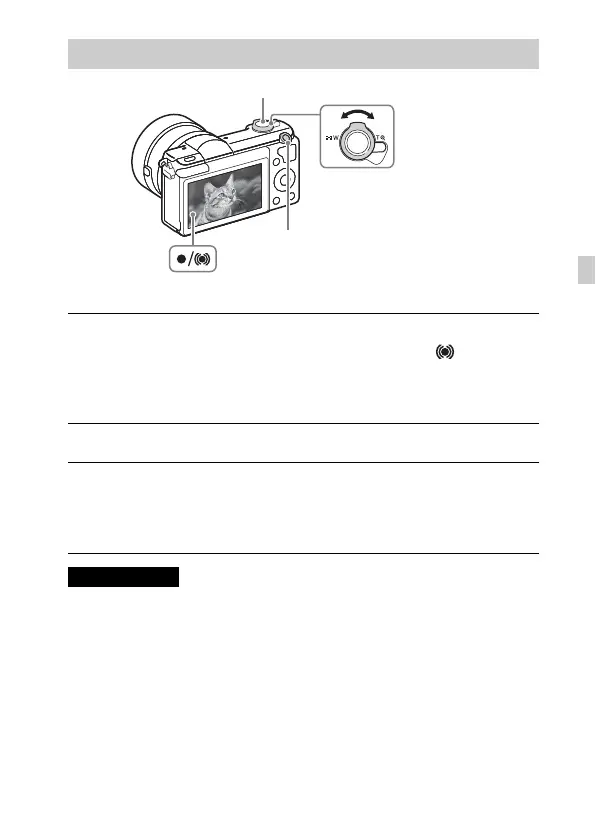
Shooting still images/movies
1
Press the shutter button halfway down to focus.
When the image is in focus, a beep sounds and the z or indicator
lights.
2
Press the shutter button fully down to shoot an image.
1
Press the MOVIE (Movie) button to start recording.
• Use the W/T (zoom) lever to change the zoom ratio.
2
Press the MOVIE button again to stop recording.
Notes
Shutter button
MOVIE
W/T (zoom) lever
W: zoom out
T: zoom in



 To Next Page