Changing your setup
127
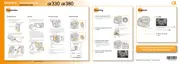
When the LIVE VIEW/OVF switch is set to “OVF,” looking into the
viewfinder turns off the LCD monitor.
In the default setting, while looking into the viewfinder, the LCD monitor
is turned off to prevent the battery pack from wearing down.
If you want to turn on the LCD monitor while looking into the viewfinder,
select [Off].
MENU button t 1 t [Auto off w/ VF] t [Off]
Keeping the LCD monitor tuned on while looking into the
viewfinder



 To Next Page
 Loading...