GB
27
GB
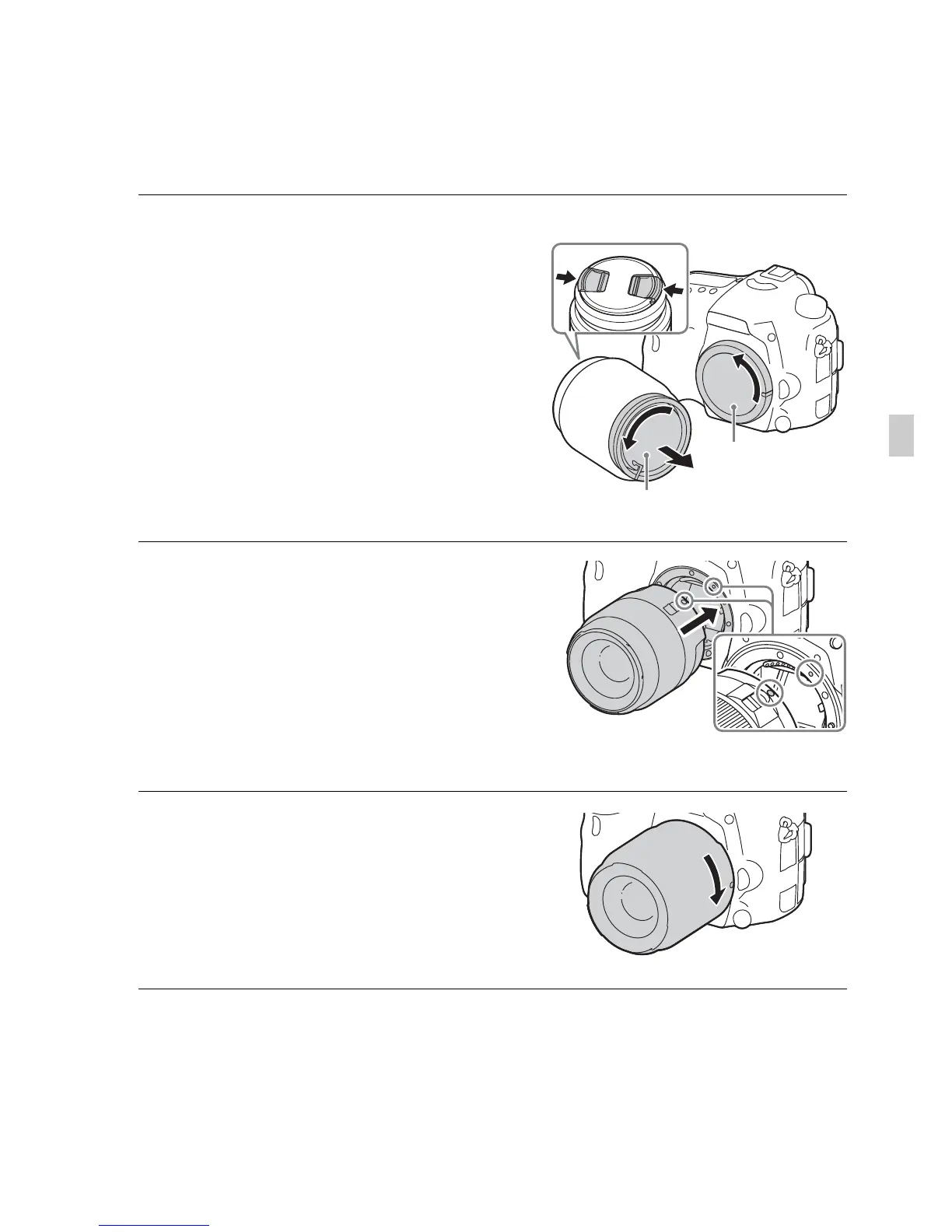
Attaching a lens
Set the power switch of the camera to OFF before you attach or remove the
lens.
1 Remove the body cap from the
camera and the rear lens cap
from the rear of the lens.
• When changing the lens, quickly
change the lens away from dusty
locations to keep dust or debris from
getting inside the camera.
• When shooting, remove the front lens
cap from the front of the lens.
2 Mount the lens by aligning the
orange index marks (mounting
indexes) on the lens and camera.
• Hold the camera with the lens facing
down to prevent dust from entering into
the camera.
3 While pushing the lens lightly
toward the camera, turn the lens
clockwise until it clicks into the
locked position.
• Be sure to put the lens on straight.
Rear lens cap
Body cap
Front lens cap
Orange index marks











 To Next Page