GB
74
Viewing images on a TV
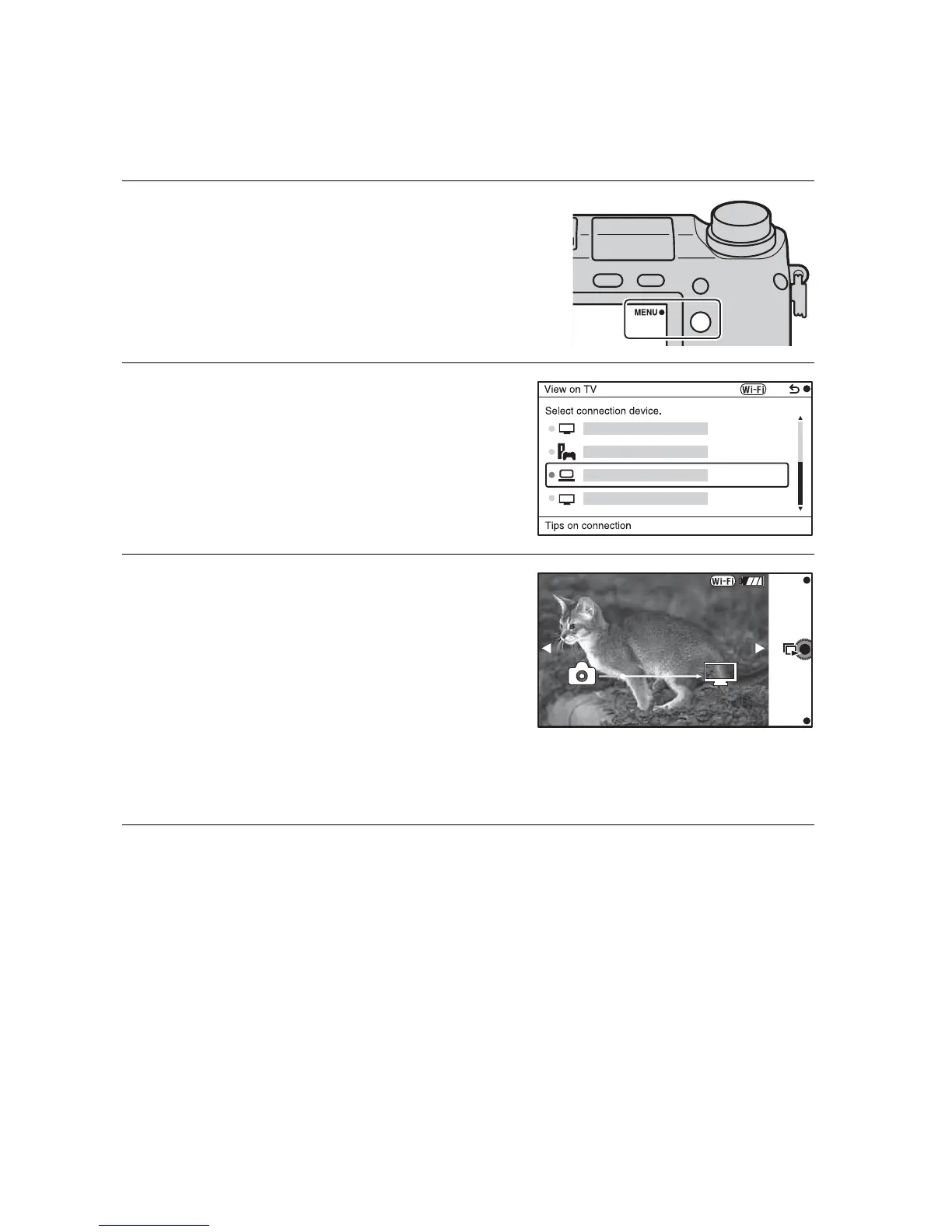
You can transfer images on the camera to a network-compatible TV without
connecting them using a cable. The transferred images can be played back on
the TV.
1
Select MENU t [Playback]
t [View on TV].
2
Select the device to be
connected to the camera.
3
Press the center of the control
wheel to play back images as
a slideshow.
• Press the right/left side of the
control wheel to move to the next/
previous image.
• Press OPTION, and then [Device
list] to change the device to be
connected.


 To Next Page