SLT-A65/A65V
4-287-953-11(1)
G:\Works\CX86800\DTP\IM\4287953111\4287953111SLTA65A65VU2\01GB-
SLTA65A65VU2\030GET.fm
Master: Right
19
Preparing the camera
Charging the battery pack
When using the camera for the first time, be sure to charge the NP-
FM500H “InfoLITHIUM” battery pack (supplied).
The “InfoLITHIUM” battery pack can be charged even when it has not
been fully depleted.
It can also be used when it has not been fully charged.
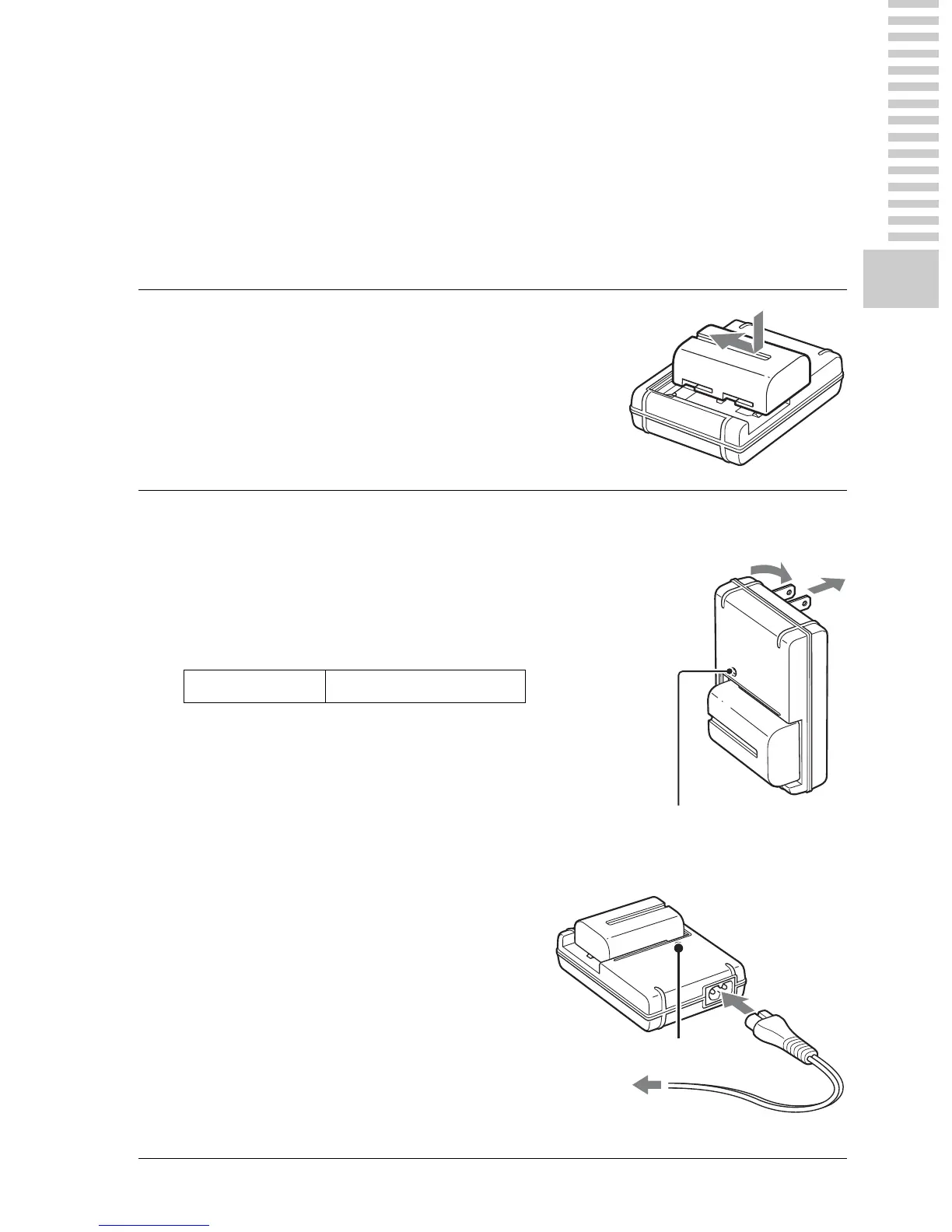
1
Insert the battery pack onto
the battery charger.
Push the battery pack until it clicks.
2
Connect the battery charger
to the wall outlet (wall
socket).
Light on: Charging
Light off: Charge completed
• When charging a fully depleted
battery pack at a temperature of 25°C
(77°F).
• The CHARGE lamp turns off when
charging is completed.
For the U.S.A and Canada
CHARGE lamp
For countries/regions other than the
U.S.A. and Canada
Charging time About 175 minutes
Plug
To a wall outlet
(wall socket)
CHARGE lamp














 To Next Page