SLT-A65/A65V
4-287-953-11(1)
G:\Works\CX86800\DTP\IM\4287953111\4287953111SLTA65A65VU2\01GB-
SLTA65A65VU2\050FUN.fm
Master: L0.Right
35
Shooting images to suit your subject
Shooting images to suit your subject
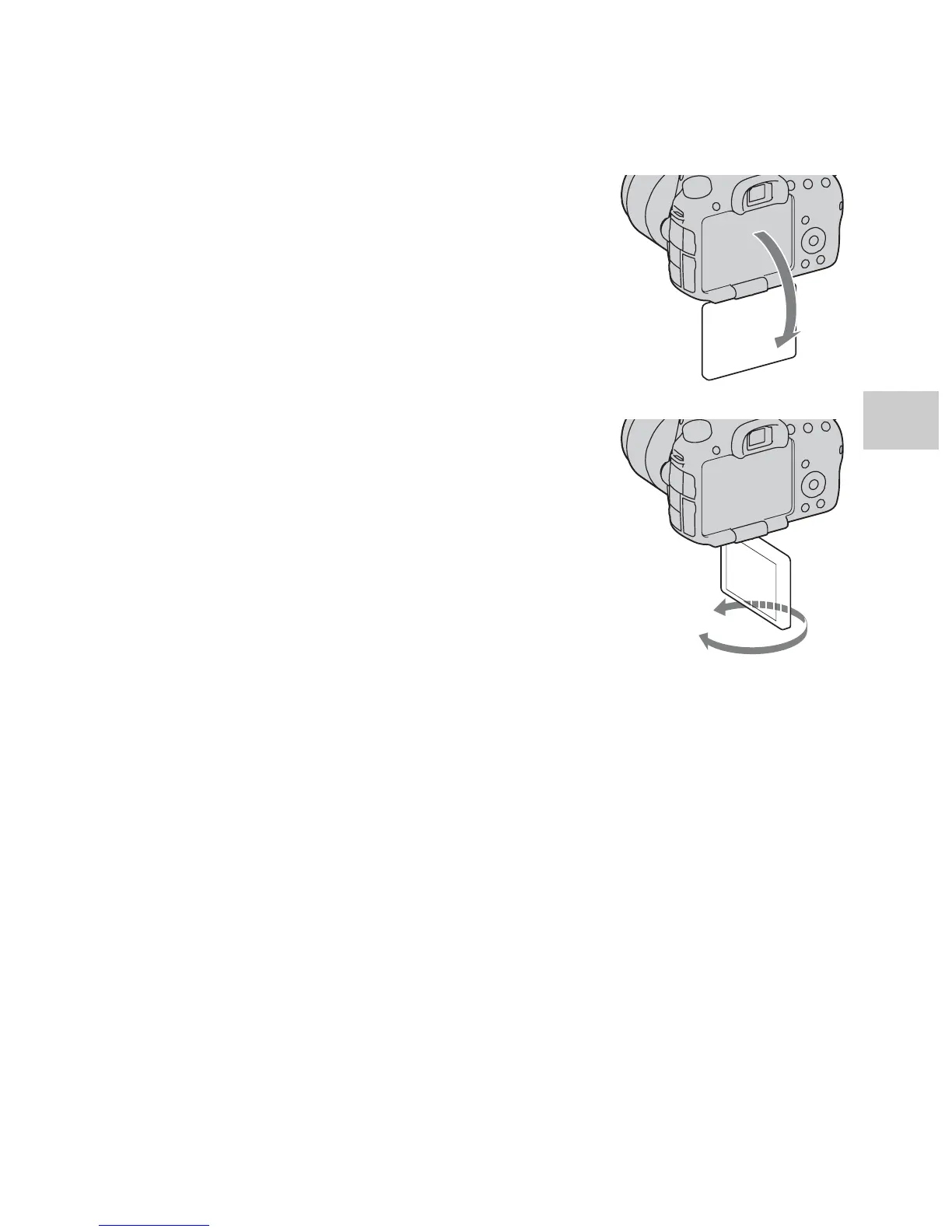
Adjusting the angle of the LCD monitor
Adjust the LCD monitor to an easily
viewable angle.
• The LCD monitor tilts 180 degrees.
• The LCD monitor can be rotated
leftward 270 degrees from the position
in which the LCD monitor is facing
forward.
• When the LCD monitor is not used, it is
recommended that you close it with the
screen side facing to the camera.
Note
• When the LCD monitor is open, the eye
sensor may not be able to function in
situations involving low-position shooting. If
you look into the viewfinder and the monitor
is not switched automatically, press the
FINDER/LCD button.














 To Next Page