20
Step 2: Preparing for
Network Connection
(For BD-LIVE/
Gracenote use)
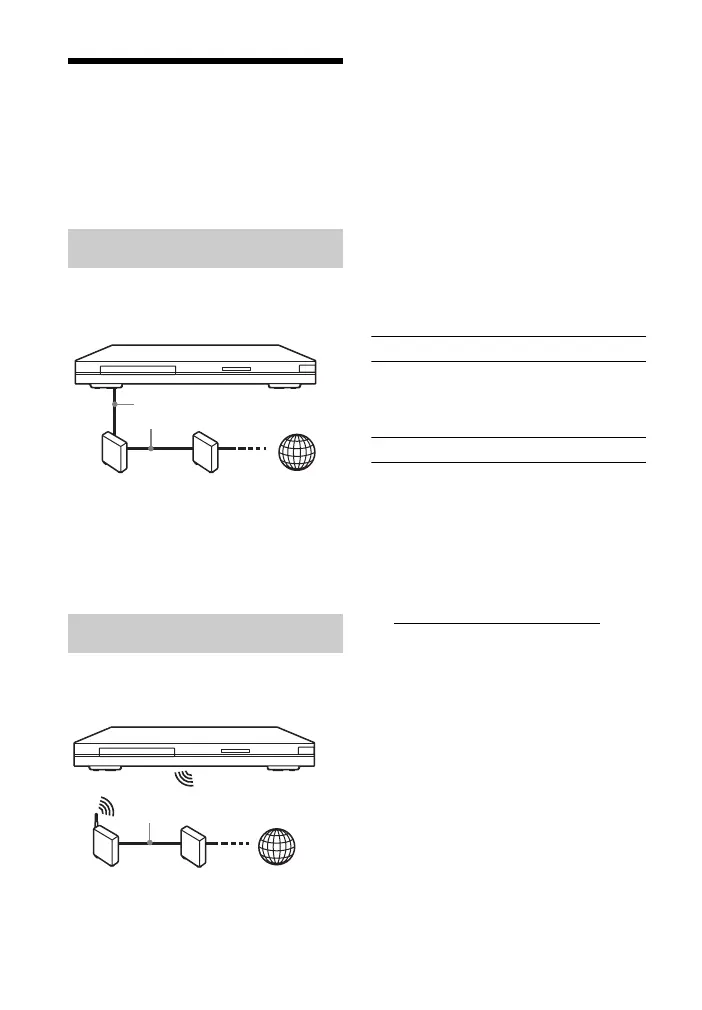
Use a LAN cable to connect to the LAN
(100) terminal on the player.
z
Using a shielded interface cable (LAN cable)
is recommended.
Use the wireless LAN that is built into
the player.
z
Use a wireless LAN router supporting
802.11b/g or 802.11b/g/n.
Before setting the network settings
When your wireless LAN router (access
point) is Wi-Fi Protected Setup (WPS)-
compatible, you can easily set the
network settings with the WPS button.
If not, check the following information
in advance, and record it in the space
provided below.
– The network name (SSID*
1
) that
identifies your network*
2
.
SSID*
1
:
– If security is set on your wireless
network, the security key (WEP key,
WPA key)*
2
.
Security key:
*1
SSID (Service Set Identifier) is a name that
identifies a particular wireless network.
*2
You need to check the setting of your
wireless LAN router for information about
the SSID and security key.
For details:
– visit the following website:
http://support.sony-europe.com/
– refer to the instruction manual supplied
with the wireless LAN router
– consult the manufacturer of the wireless
LAN router.
Wired Setup
Wireless Setup
LAN cable
(not supplied)
Broadband
router
ADSL modem/
Cable modem
Internet
Wireless
LAN router
ADSL modem/
Cable modem
Internet
LAN cable
(not supplied)



 To Next Page