Playing
Video
Files
via
a
Network
(BRAVIA
Internet
Video)
BRAVIA Internet Video serves as a gateway
delivering the selected Internet content and a
variety
of
on-demand entertainment straight
to your player.
.~.
To enjoy the BRAVIA Internet Video service,
we
recommend the following connection speeds:
- Standard Definition video: 2.5 Mbps
- High Definition video:
10
Mbps
"
Your registration information and past purchases
may remain on the server depending on some
BRAVIA Internet Video services. For details on
deleting your personal information on the server,
visit the following website:
http://www.sony.comlblurayupdate/
1
Follow
steps
1
and
2
of
"Step
4:
Connecting
to
the
Network"
on
page
24.
2
Make
the
appropriate
settings
in
"Region"
under
the
"Internet
Video
Settings"
setup
(page
52).
The display and available buttons may differ
depending on Internet content providers.
1
Press
HOME.
2
Select
l:II
(Video)
using
+-1".
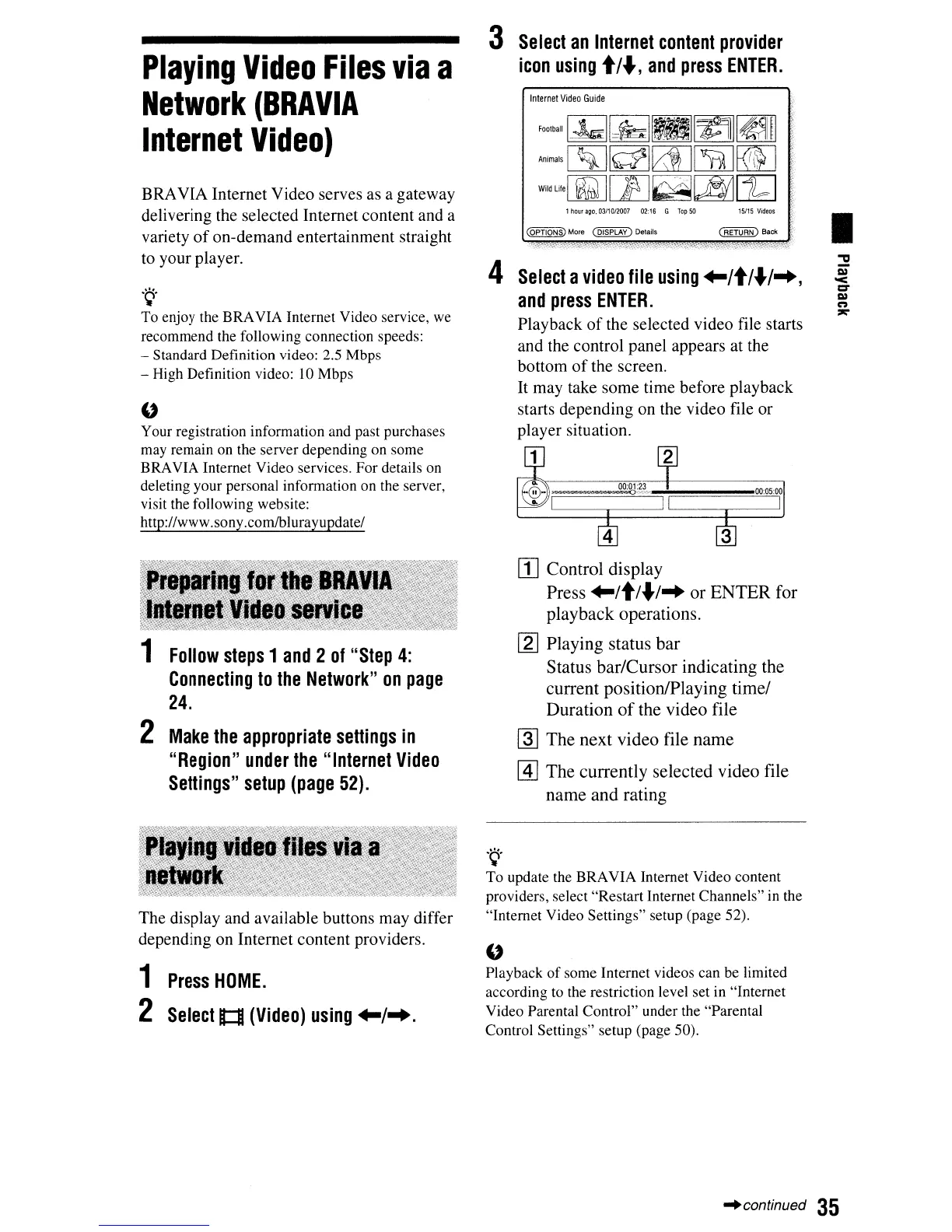
3
Select
an
Internet
content
provider
icon
using
t;..,
and
press
ENTER.
Internet
Video
Guide
FootballGQ~
~~
Animals
~~[2j][5]]~
WildLilernMJ[E~~[ld
1
nour
ago.
03/1012007
02:16
G
Top
50
15/15
Vi~eos
~More
~
Del.ils
~
B.ck
4
Select
a
video
file
using
+-/t/"'I",
and
press
ENTER.
Playback
of
the selected video file starts
and the control panel appears at the
bottom
of
the screen.
It may take some time before playback
starts depending on the video file or
player situation.
[jJ Control display
Press
+-/t/"'l
..
or
ENTER
for
playback
operations.
[gJ
Playing status
bar
Status
barlCursor
indicating the
current position/Playing
timel
Duration
of
the video file
~
The
next video file
name
@]
The
currently selected video file
name
and
rating
.~.
To update the BRAVIA Internet Video content
providers, select "Restart Internet Channels"
in
the
"Internet Video Settings" setup (page 52).
"
Playback
of
some Internet videos can be limited
according to the restriction level set in "Internet
Video Parental Control" under the "Parental
Control Settings" setup (page 50).
I
~continued
35



 To Next Page