40
You can play photo files on the connected
USB device.
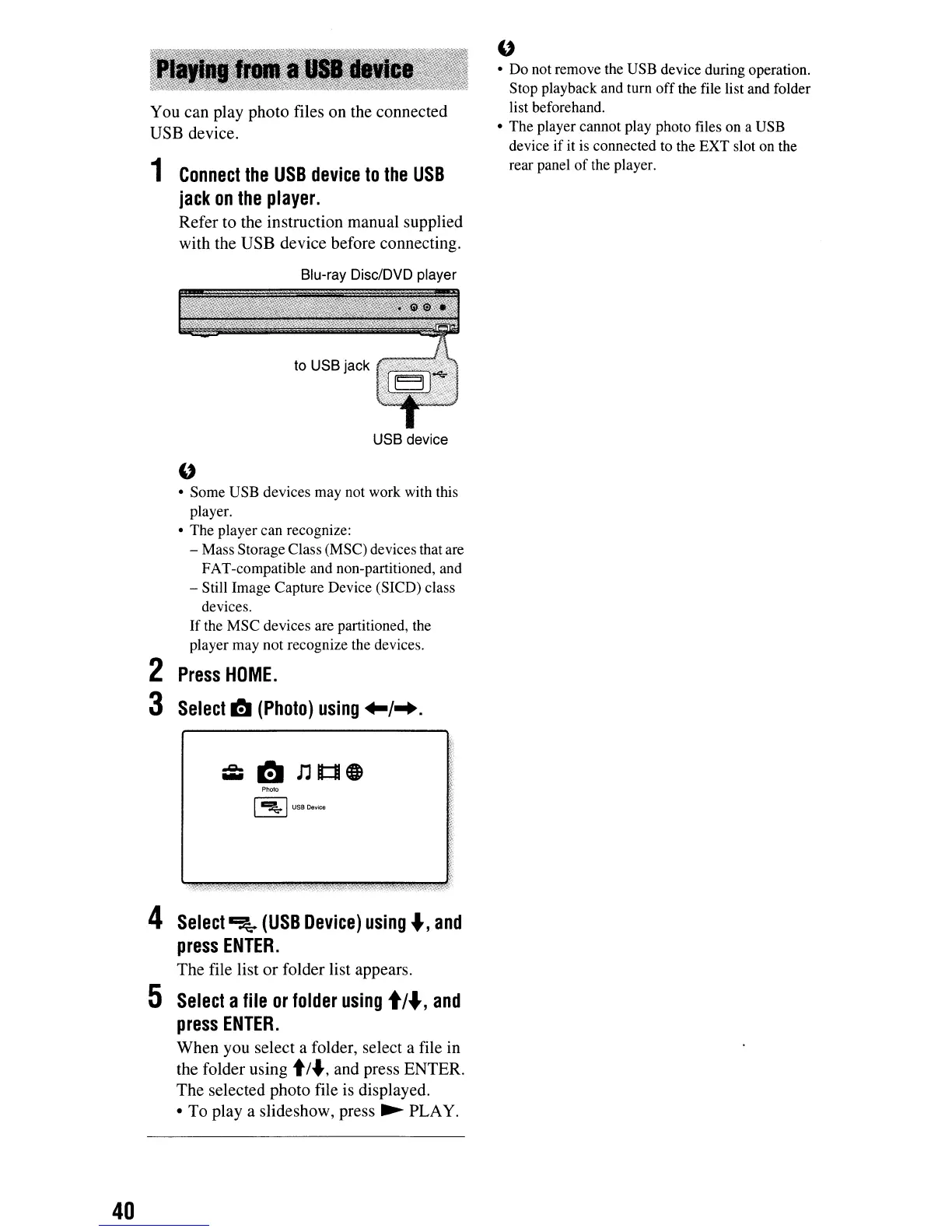
1
Connect
the
USB
device
to
the
USB
jack
on
the
player.
Refer to the instruction manual supplied
with the USB device before connecting.
Blu-ray Disc/DVD player
to USB jack
USB device
"
• Some USB devices may not work with this
player.
• The player can recognize:
- Mass Storage Class (MSC) devices that are
FAT-compatible and non-partitioned, and
- Still Image Capture Device (SICD) class
devices.
If the MSC devices are partitioned, the
player may not recognize the devices.
2
Press
HOME.
3
Select
~
(Photo)
using
+-/-+.
Photo
I
~
I
USB
Deyice
4
Select
~
(USB
Device)
using"',
and
press
ENTER.
The file list or folder list appears.
5
Select
a
file
or
folder
using
t/
...
,
and
press
ENTER.
When you select a folder, select a file
in
the folder using
t/
..,and press ENTER.
The selected photo file is displayed.
• To
playa
slideshow, press
~
PLAY.
"
• Do not remove the USB device during operation.
Stop playback and tum
off
the file list and folder
list beforehand.
• The player cannot play photo files on a USB
device if it
is
connected to the EXT slot on the
rear panel
of
the player.



 To Next Page