EasyManua.ls Logo

Sony BDP-N460 - Settings and Adjustments; Using the Settings Displays

Sony BDP-N460
83 pages
Print Icon
To Next Page IconTo Next Page
To Previous Page IconTo Previous Page
Loading...
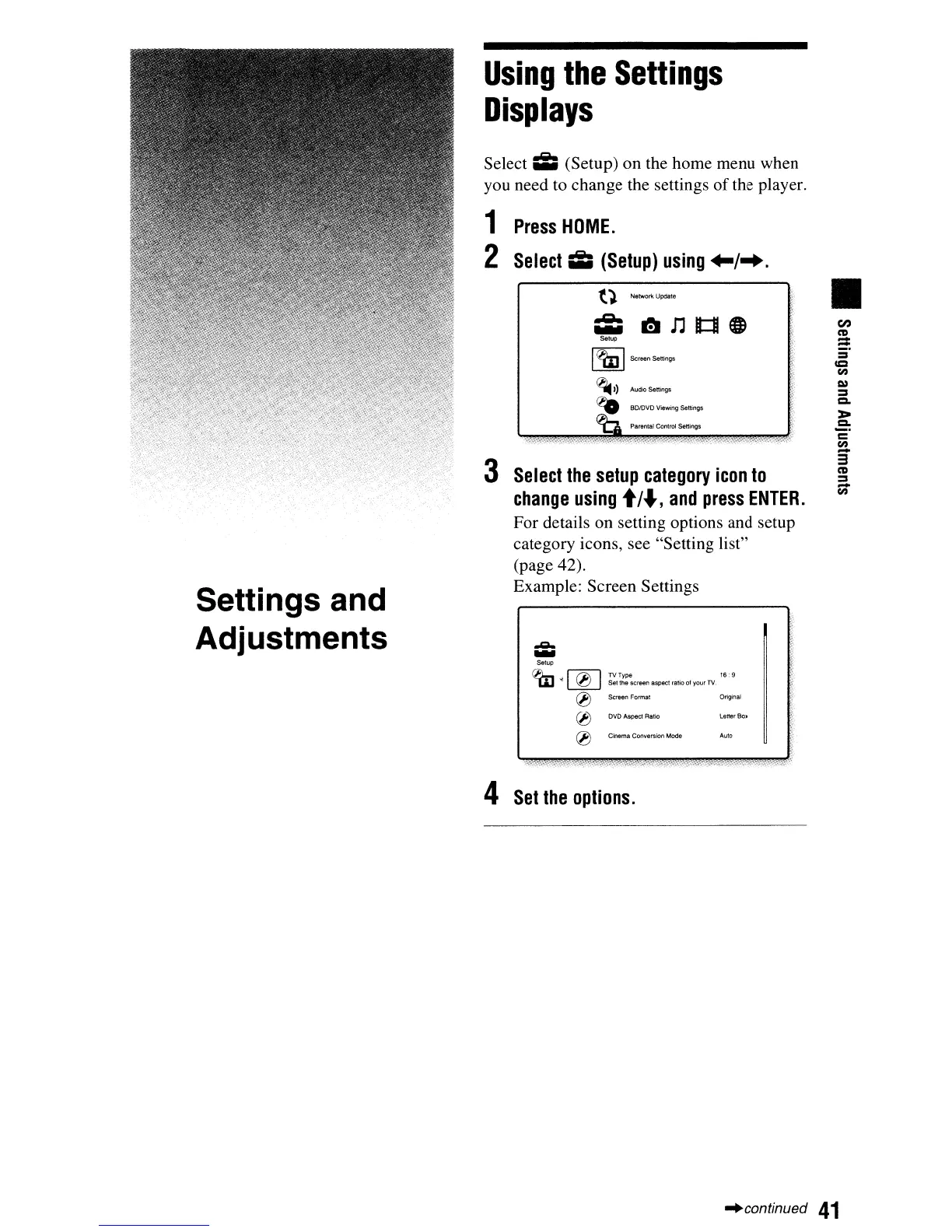
Select;;;
(Setup) on the home menu when
you need to change the settings
of
the player.
Using
the
Settings
Displays
Settings and
Adjustments
1
Press
HOME.
2 Select;;;
(Setup)
using
+-/-+.
t).
Networil Update
;;;
trJ
n
B::I
e
Setup
I
~
IScreen Settings
~))
AudKlSettings
~
BO/OVO Viewing
settings
<6
Parental Control
settings
3
Select
the
setup
category
icon
to
change
using
t/.J,
and
press
ENTER.
For details on setting options and setup
category icons, see "Setting list"
(page 42).
Example: Screen Settings
'"'"""'
....
Setup
~
I
fill
IlVTYP'
16"
-w
~
'0
Selina
screen aspect ratio
01
your TV
® SCreen Forme! Original
®
Dve
Aspect Ratio leller Box
en
ell
=
=
CC
en
=
a.
>
a.
c
en
3'
ell
=
-
en
(lJ
Cinema
CO(\verslon
Mode
4
Set
the
options.
Aula
-'continued
41

Table of Contents

Related product manuals