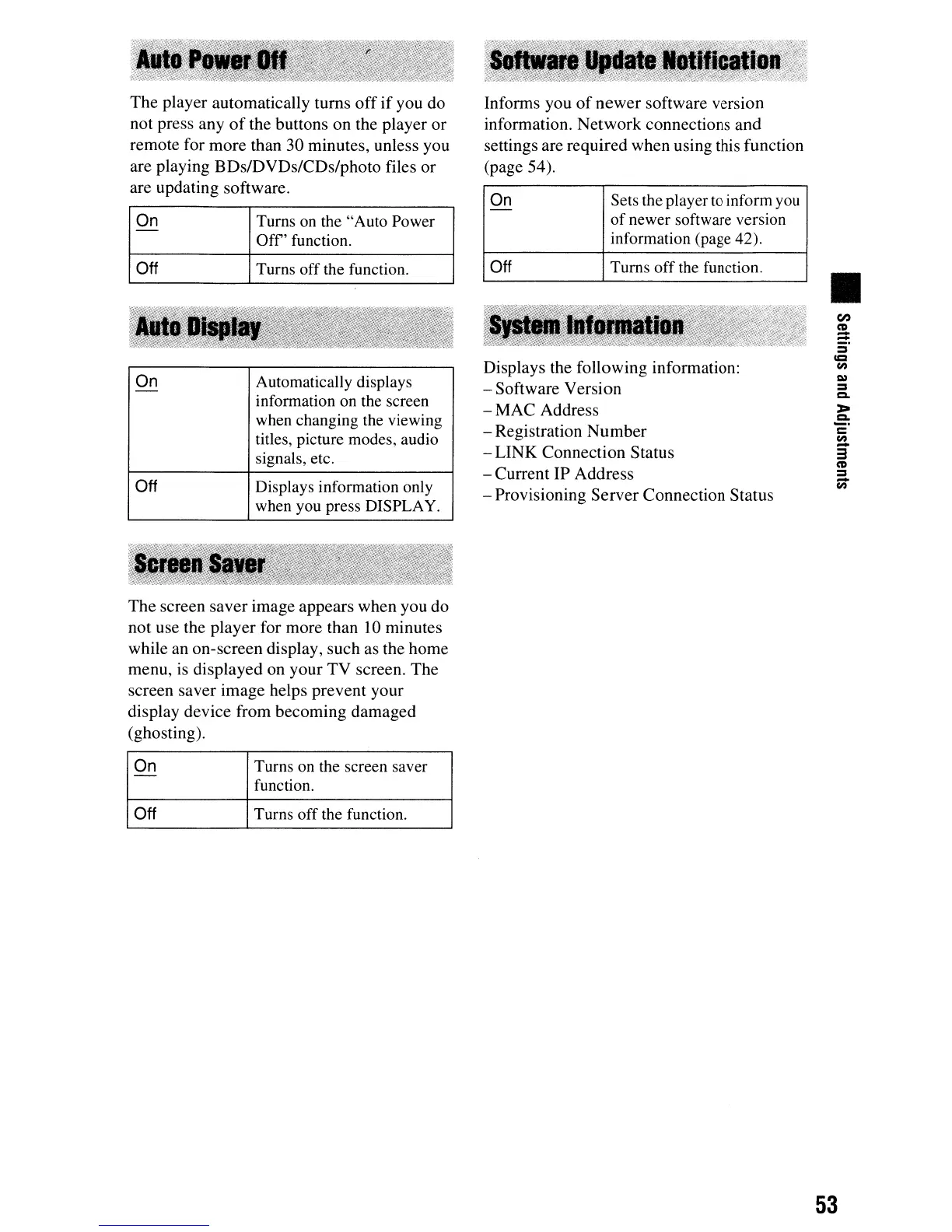
The player automatically turns
off
if
you
do
not press any
of
the buttons on the player
or
remote for more than
30
minutes, unless you
are playing BDs/DVDs/CDs/photo files
or
are updating software.
On
Turns on the "Auto Power
-
Off'
function.
Off
Turns off the function.
On
Automatically displays
-
information on the screen
when changing the viewing
titles, picture modes, audio
signals, etc.
Off
Displays information only
when you press DISPLAY.
The screen
saver
image appears when you
do
not use the player for more than 10 minutes
while an on-screen display, such as the home
menu, is displayed on your
TV
screen. The
screen saver image helps prevent your
display device from becoming damaged
(ghosting).
On
Turns on the screen saver
-
function.
Off
Turns off the function.
Informs you
of
newer
software version
information.
Network
connections
and
settings are required when using this function
(page 54).
On
Sets the player
to
inform
you
-
of
newer software version
information (page 42).
Off
Turns off the function.
Displays the following information:
-Software
Version
-
MAC
Address
- Registration
Number
-
LINK
Connection Status
- Current IP Address
- Provisioning
Server
Connection Status
II
CI)
CD
==
=
c=
en
CIl
=
Co
>-
.2:
c
en
3"
CD
=
-
en
53



 To Next Page