18
~9~t:0<)"~~.::
;"'(~
t0~'t'/~./t~~~C]::'?~,~?\
-,'
'''':.
'~'>1n;,>:?<;:":;'}':
C'onn
ct~II'
J~~~u~r~/Vi«!'Jac
;y '"
.,,"
)i.'
,.;-~:!&0'.::..i0·W<;'
&,~:;o~.b0/<;~;i1
:>";,,,;"
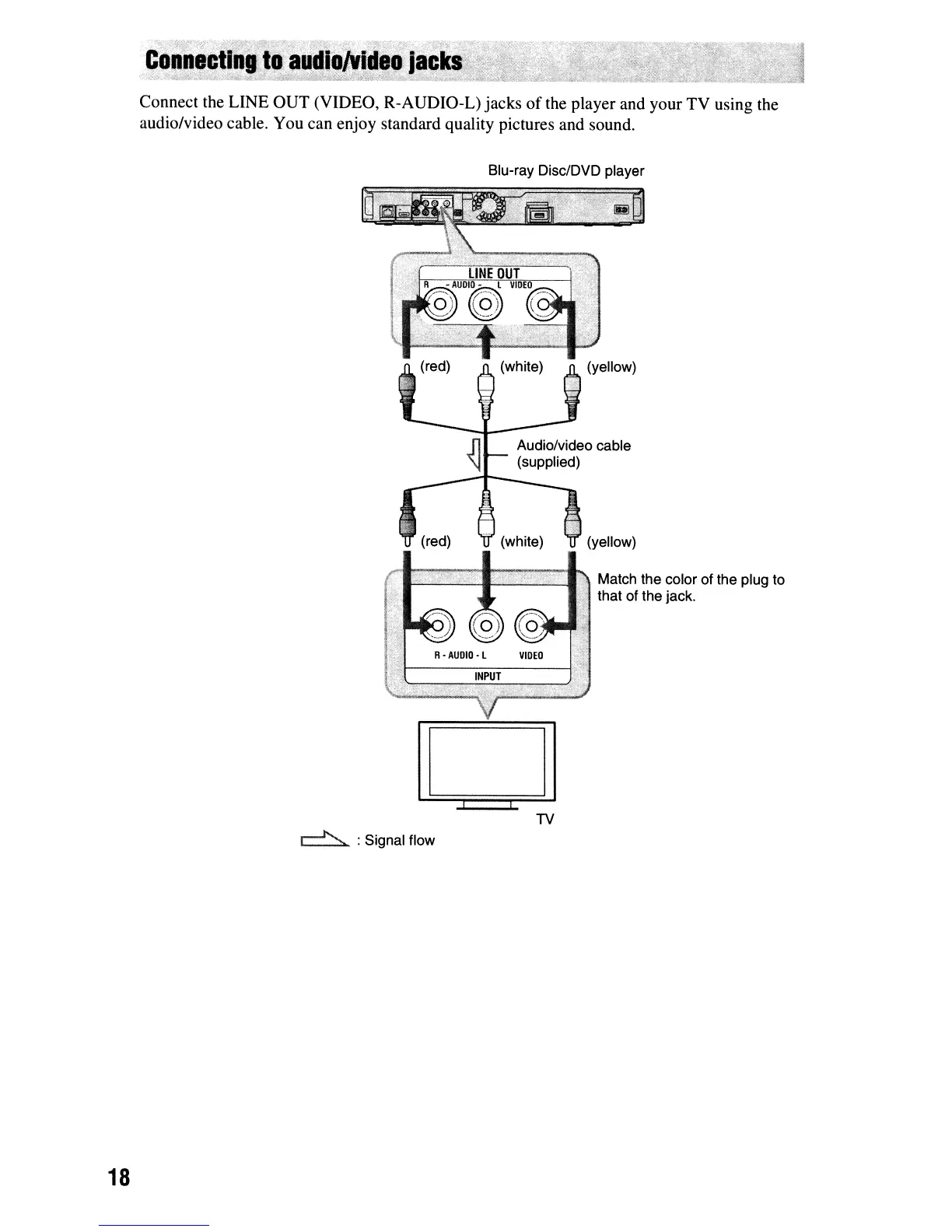
Connect the LINE OUT (VIDEO, R-AUDIO-L) jacks
of
the player and your TV using the
audio/video cable. You can enjoy standard quality pictures and sound.
Blu-ray Disc/DVD player
fllII~~~~~~~1'ii
Match the color of the plug to
that of the jack.
D
TV
r=..l'>.
:Signal flow



 To Next Page