EasyManua.ls Logo

Sony BDP-S360 - Photo File Playback

Sony BDP-S360
84 pages
Print Icon
To Next Page IconTo Next Page
To Previous Page IconTo Previous Page
Loading...
t'hnliJ
Rotates the photo
clockwise by 90
degrees.
Rotates the photo
counterclockwise by 90
degrees.
Stops a slideshow.
Changes the slideshow
speed.
Fast
Normal
Slow
DetailsItems
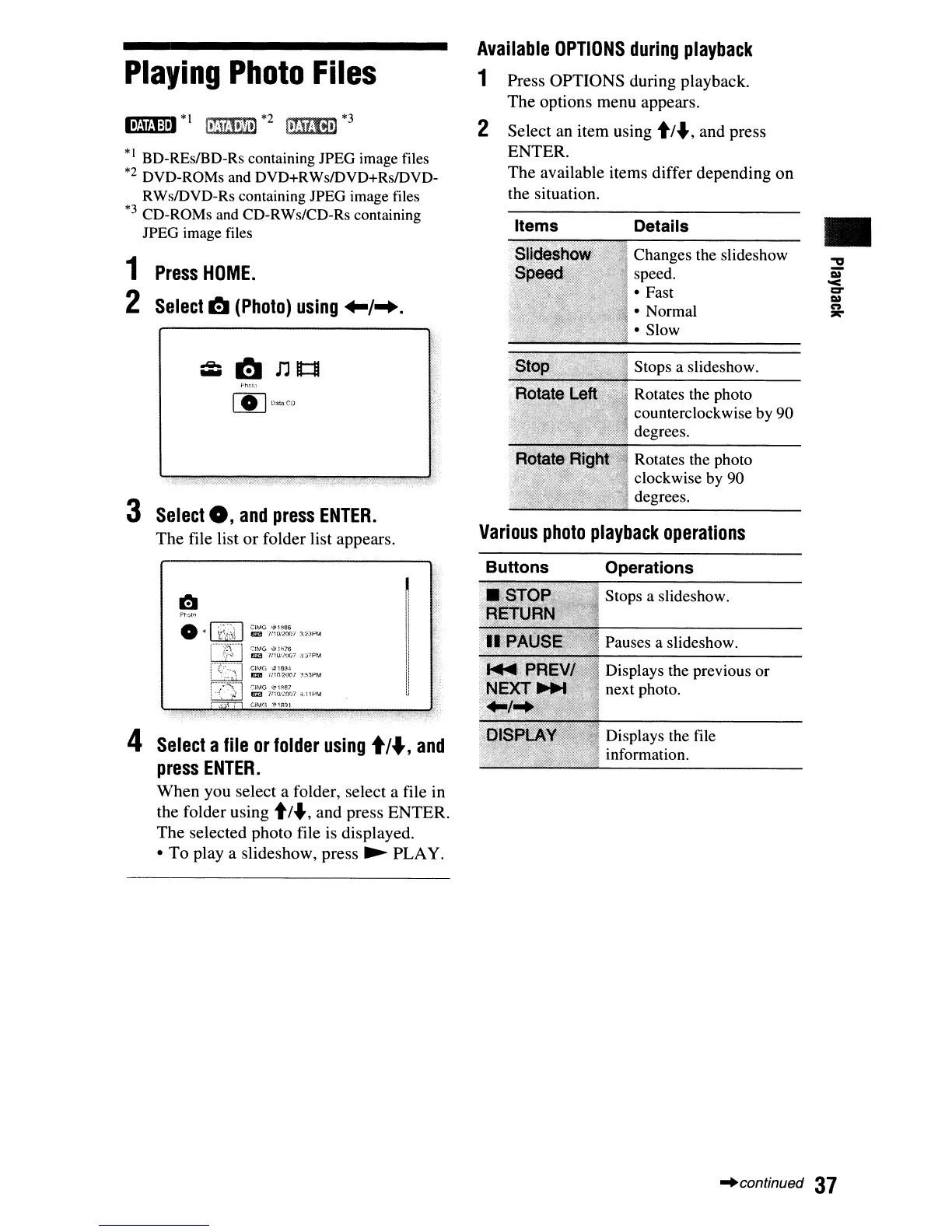
Press
OPTIONS
during playback.
The
options
menu
appears.
Select an
item
using t/.J,
and
press
ENTER.
The
available items differ
depending
on
the situation.
Various
photo
playback
operations
2
Available
OPTIONS
during
playback
1
.Qo..
-
[§]
o,,.,ef)
3
Select
0,
and
press
ENTER.
The
file list
or
folder list appears.
1
Press
HOME.
2
Select
l!J
(Photo)
using
+-/-+.
117M1:l
l
*I
II!MJII'il]
*2
I.Mm-)
*3
*1
BD-REsIBD-Rs containing IPEG image files
*2 DVD-ROMs
and
DVD+RWsIDVD+RsIDVD-
RWsIDVD-Rs containing IPEG image files
*3 CD-ROMs
and
CD-RWs/CD-Rs containing
IPEG image
files
Playing
Photo
Files
Buttons
Operations
P~Q
O
r0"'71
c,,""
..
'...
..
~
!I:a
mo.-loe)"/3:2Jf'M
.
~"""
CI~,tG
i"
1"76
rIB
'mO:~7
.j.:,."p~.4
ClM0
·.tlo...'l-\
.
_~.
1m! ;-nO,"2Q(;l
J:~:\PM
r-.~{~~~
1
i:
G
l~~~~rl
~.
i
If'M
.
~".
i
(;IM(~
,",IR:l1
4
Select
a
file
or
folder
using
./.,
and
press
ENTER.
When
you
select a folder, select a file in
the folder using
t/.J, and press
ENTER.
The
selected photo file is displayed.
To
playa
slideshow, press
~
PLAY.
Stops a slideshow.
Pauses a slideshow.
Displays the previous or
next photo.
Displays the file
information.
"continued
37

Other manuals for Sony BDP-S360

Related product manuals