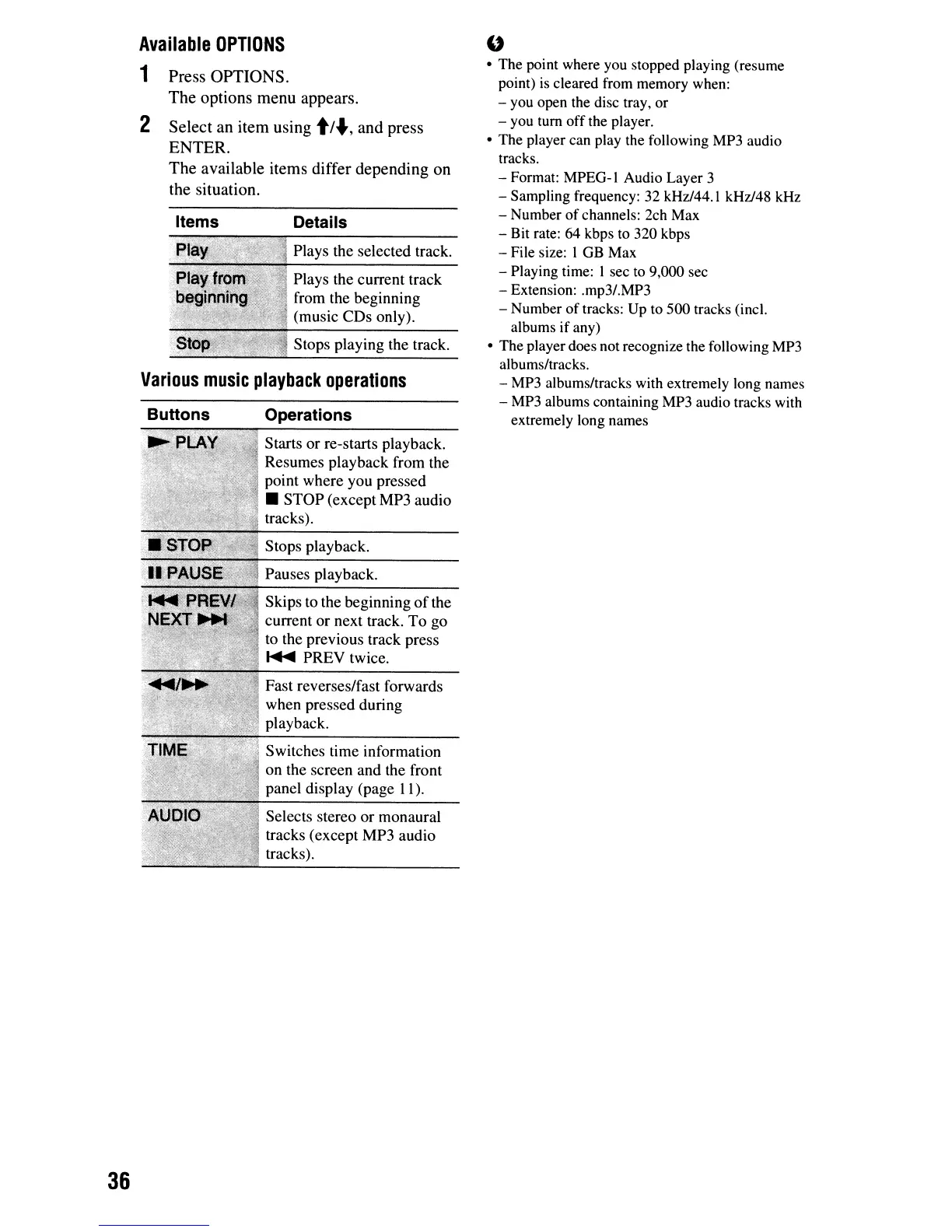
Various
music
playback
operations
Press
OPTIONS.
The
options
menu
appears.
Select
an
item
using
tl-.,
and
press
ENTER.
The
available
items
differ
depending
on
the
situation.
"
• The point where you stopped playing (resume
point)
is
cleared from memory when:
- you open the disc tray, or
- you tum offthe player.
• The player can play the following MP3 audio
tracks.
- Format: MPEO-I Audio Layer 3
- Sampling frequency:
32
kHz/44.1 kHz/48 kHz
- Number
of
channels: 2ch Max
- Bit rate: 64 kbps to 320 kbps
- File size: I
OB
Max
- Playing time: I sec
to
9,000 sec
- Extension: .mp3/.MP3
- Number of tracks: Up to 500 tracks (inel.
albums if any)
• The player does not recognize the following MP3
albums/tracks.
- MP3 albums/tracks with extremely long names
-
MP3
albums containing MP3 audio tracks with
extremely long names
Stops playing the track.
Plays the selected track.
Plays the current track
from the beginning
(music
CDs
only).
Details
Fast reverses/fast forwards
when pressed during
playback.
Switches time information
on the screen and the front
panel display (page 11).
Selects stereo
or
monaural
tracks (except MP3 audio
tracks).
Pauses playback.
Skips to the beginning
of
the
current or next track.
To
go
to the previous track press
.....
PREY
twice.
Stops playback.
Starts or re-starts playback.
Resumes playback from the
point where you pressed
•
STOP
(except MP3 audio
tracks).
Operations
Items
Buttons
2
Available
OPTIONS
1
36



 To Next Page