Step
6:
Preparing
the
Remote
You cancontrol the player using the supplied
remote. Insert two Size
AA
(R6) batteries by
matching the
Ef)
and e ends on the batteries
to the markings inside the battery
compartment. When using the remote, point
it at the remote sensor
iii on the player
(page 10).
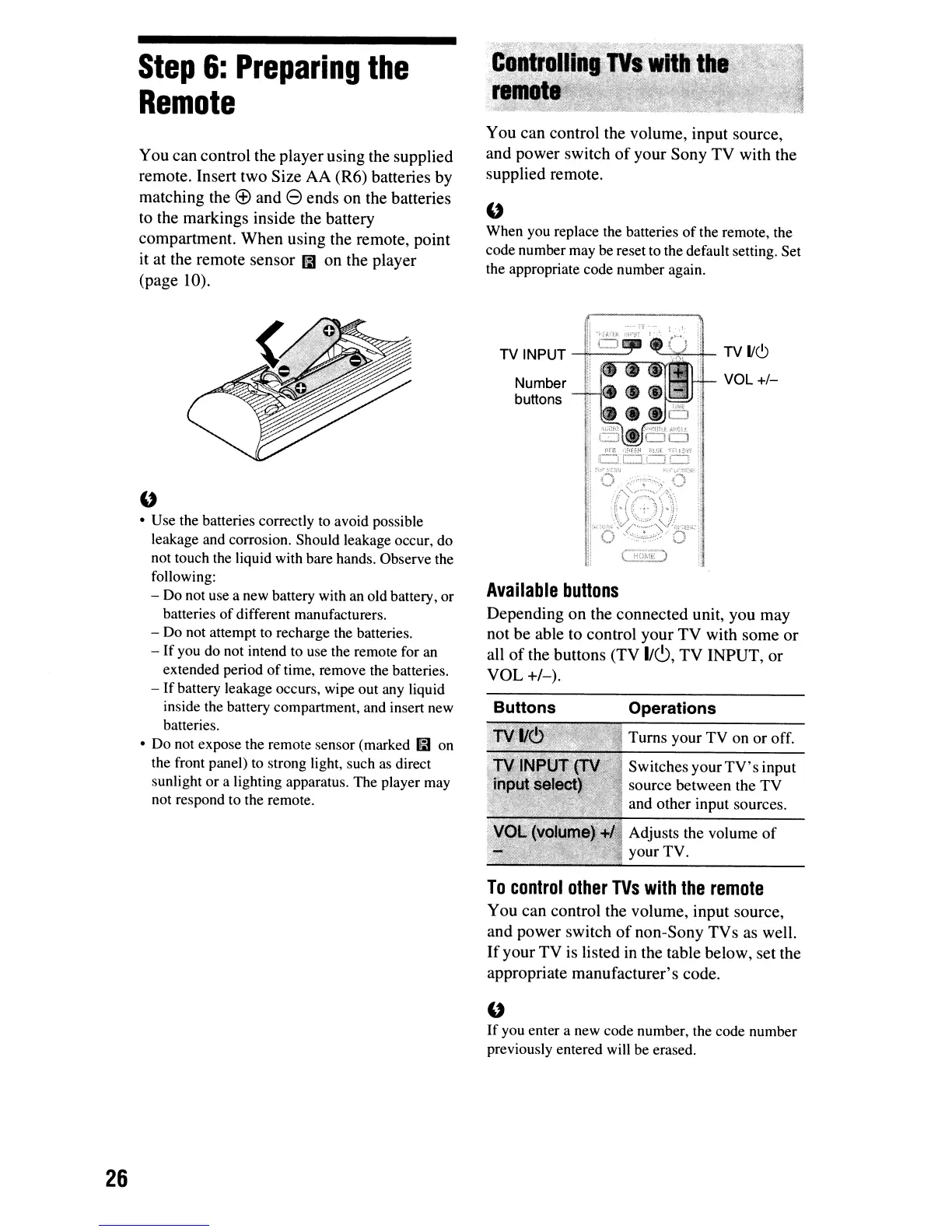
You can control the volume, input source,
and power switch
of
your Sony
TV
with the
supplied remote.
"
When you replace the batteries
of
the remote, the
code number may be reset to the default setting. Set
the appropriate code number again.
Operations
Turns
your
TV
on
or
off.
Switches
your
TV's
input
source
between
the
TV
and
other
input sources.
Adjusts the
volume
of
your
TV.
Number
buttons
TV INPUT
,.-:;~-,;~ti-
TV
1/6
VOL
+/-
Buttons
Available
buttons
Depending
on
the connected unit, you may
not be able to control your
TV
with some
or
all
of
the buttons (TV
lie!),
TV
INPUT, or
VOL
+1-).
"
• Use the batteries correctly to avoid possible
leakage and corrosion. Should leakage occur, do
not touch the liquid with bare hands. Observe the
following:
- Do not use a new battery with an old battery, or
batteries
of
different manufacturers.
- Do not attempt to recharge the batteries.
- If you do not intend to use the remote for an
extended period
of
time, remove the batteries.
- If battery leakage occurs, wipe out any liquid
inside the battery compartment, and insert new
batteries.
• Do not expose the remote sensor (marked mon
the front panel) to strong light, such as direct
sunlight or a lighting apparatus. The player may
not respond to the remote.
To
control
other
TVs
with
the
remote
You can control the volume, input source,
and power switch
of
non-Sony
TVs
as well.
If
your
TV
is listed in the table below, set the
appropriate manufacturer's code.
"
If
you enter a new code number, the code number
previously entered will be erased.
26



 To Next Page