32
GB
Getting Started
When you use multiple S-AIR
products
See “Establishing sound transmission between
the unit and S-AIR sub unit (ID setting)”
(page 61).
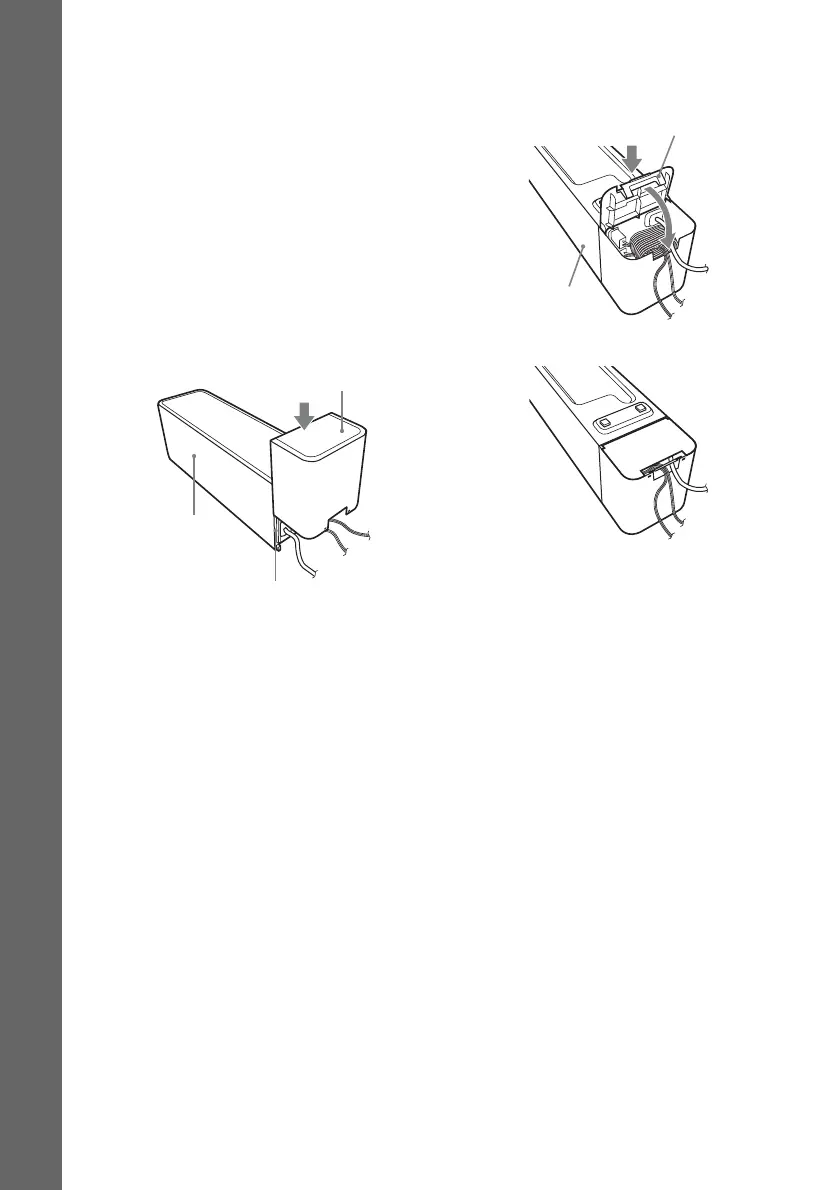
To attach the cover to the
surround amplifier
After connecting and setting, you can attach the
cover to the surround amplifier for organizing
and storing excess speaker cords.
1 Attach the speaker cord cover by
sliding it down along the grooves at the
edges of the surround amplifier.
Push the speaker cord cover down until you
hear a click. Turn the surround amplifier
upside down, then store the cords in the
speaker cord cover.
2 Insert the tabs of the speaker cord
holder in the slots of the speaker cord
cover, and press it into place.
Speaker cord cover
Surround amplifier
Grooves
Speaker cord holder
Surround amplifier
m



 To Next Page