50
GB
Playing Photo Files
1)
BD-REs/BD-Rs containing JPEG image files
2)
DVD+RWs/DVD+Rs/DVD-RWs/DVD-Rs
containing JPEG image files
3)
CD-RWs/CD-Rs containing JPEG image files
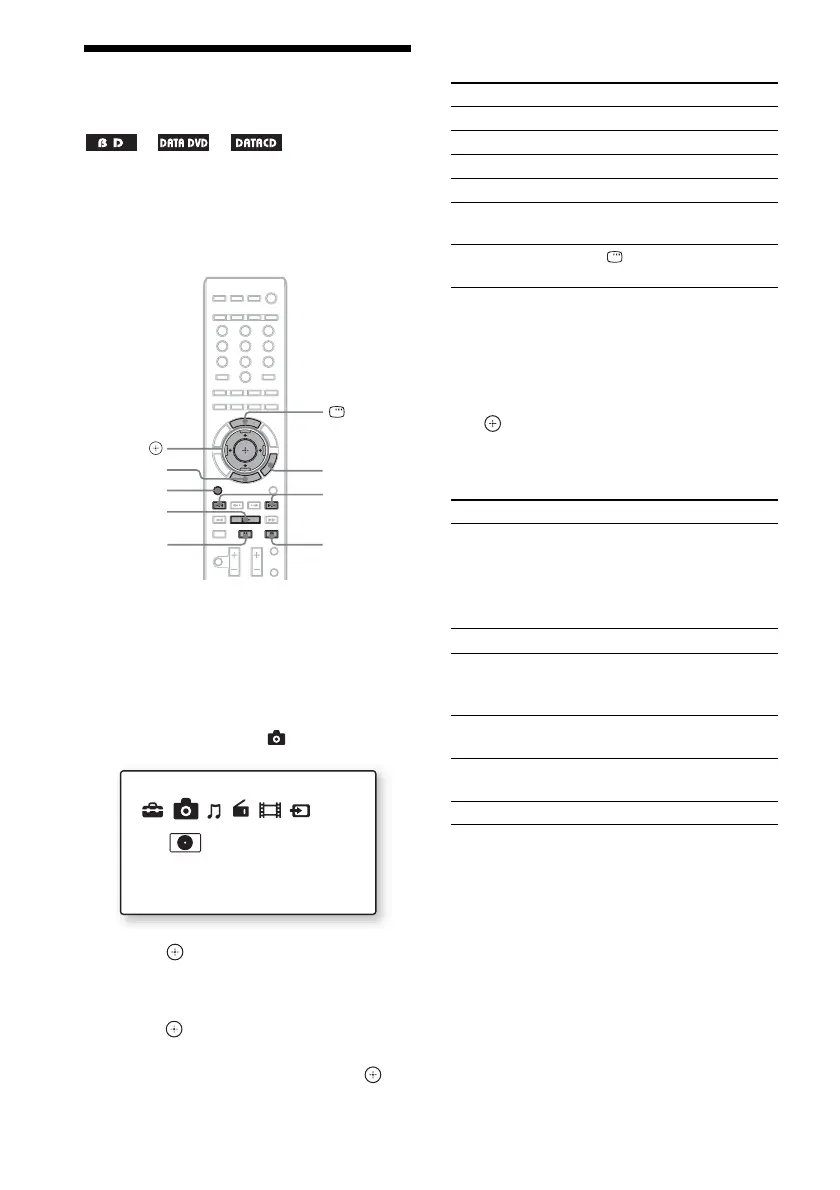
1 Press FUNCTION repeatedly until “BD/
DVD” appears in the front panel
display.
2 Insert a disc that contains photo files.
3 Press HOME.
4 Press C/c to select [Photo].
5 Press .
The file list or folder list appears.
6 Press X/x to select a file or folder, then
press .
When you select a folder, press X/x to
select a file in the folder, then press .
The selected photo file is displayed.
Other operations
Available OPTIONS
1 Press OPTIONS.
The options menu appears.
2 Press X/x to select an item, then press
.
The available items differ depending on the
situation.
1)
Appears when you press OPTIONS during playback
of photo files.
2)
Appears when you press OPTIONS while the file/
folder list is displayed.
1)
2)
3)
FUNCTION
x
N
X
./>
C/X/x/c,
HOME
OPTIONS
DISPLAY
Photo
Data CD
To Press
Play a slideshow N
Stop a slideshow x
Pause a slideshow X
Go to the next photo >
Go back to the
preceding photo
.
Display the file
information
DISPLAY
Items Details
[Slideshow Speed]
1)2)
Changes the slideshow
speed.
•[Fast]
•[Normal]
•[Slow]
[Stop]
1)
Stops a slideshow.
[Rotate Left]
1)
Rotates the photo
counterclockwise by 90
degrees.
[Rotate Right]
1)
Rotates the photo
clockwise by 90 degrees.
[View Image]
2)
Displays the selected
picture.
[Slideshow]
2)
Starts a slideshow.



 To Next Page