30
GB
Getting Started
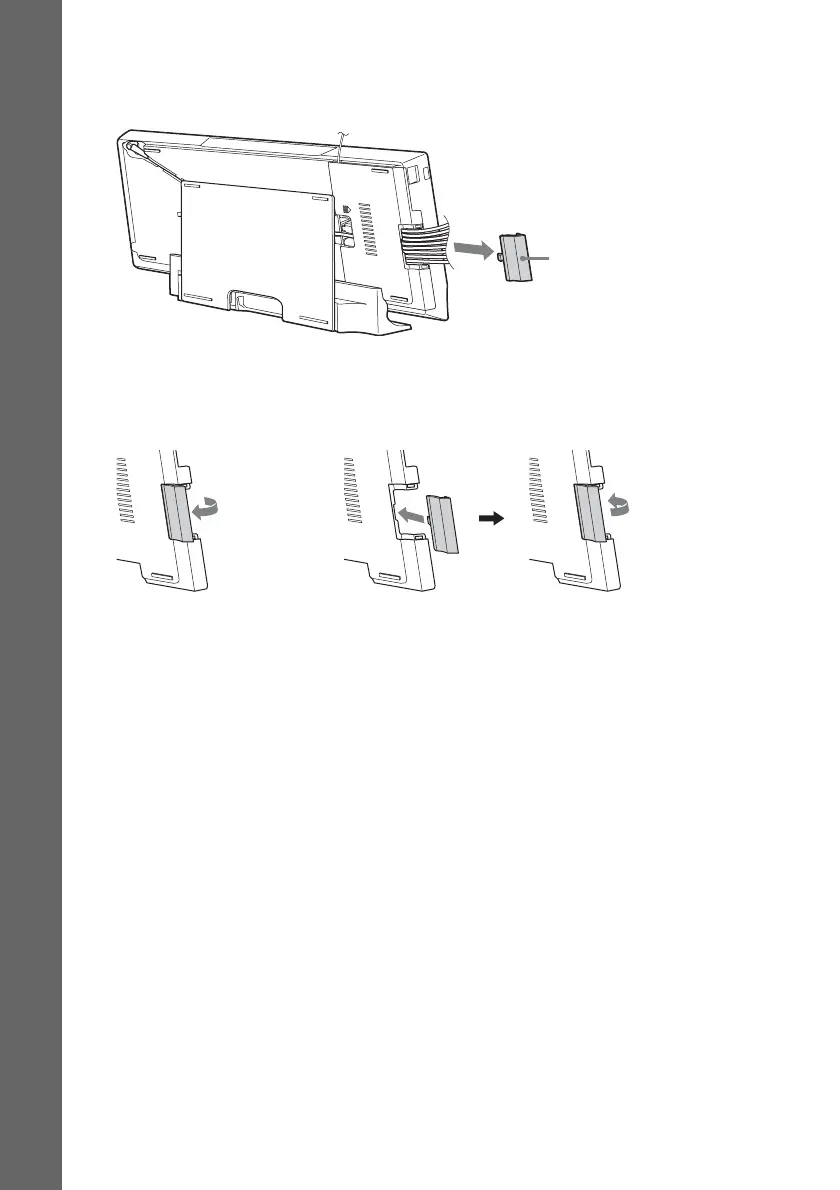
To open the hatch of the panel cover
To arrange the cables to the left side of the main unit, open the hatch of the panel cover before you
attach the panel cover. Be sure not to lose the hatch.
To open the hatch, remove the panel cover, hold the hatch, and then pull it up and outward.
To close the hatch, align the projection of the hatch with the projection opening on the panel cover, and
then gently push in and down on the hatch until it clicks.
Hatch
To open the hatch
To close the hatch



 To Next Page