masterpage:Left
specdef v20080116
filename[I:\FM E_data\850138S_BDV-Z2\0527_data
up\4136891111\4136891111BDVZ7AEP\02-BDVZ7AEP\gb04gst.fm]
model name [BDV-Z7_GB]
[4-136-891-11(1)]
32
GB
Getting Started
Step 4: Selecting the
Source
You can select the playback source.
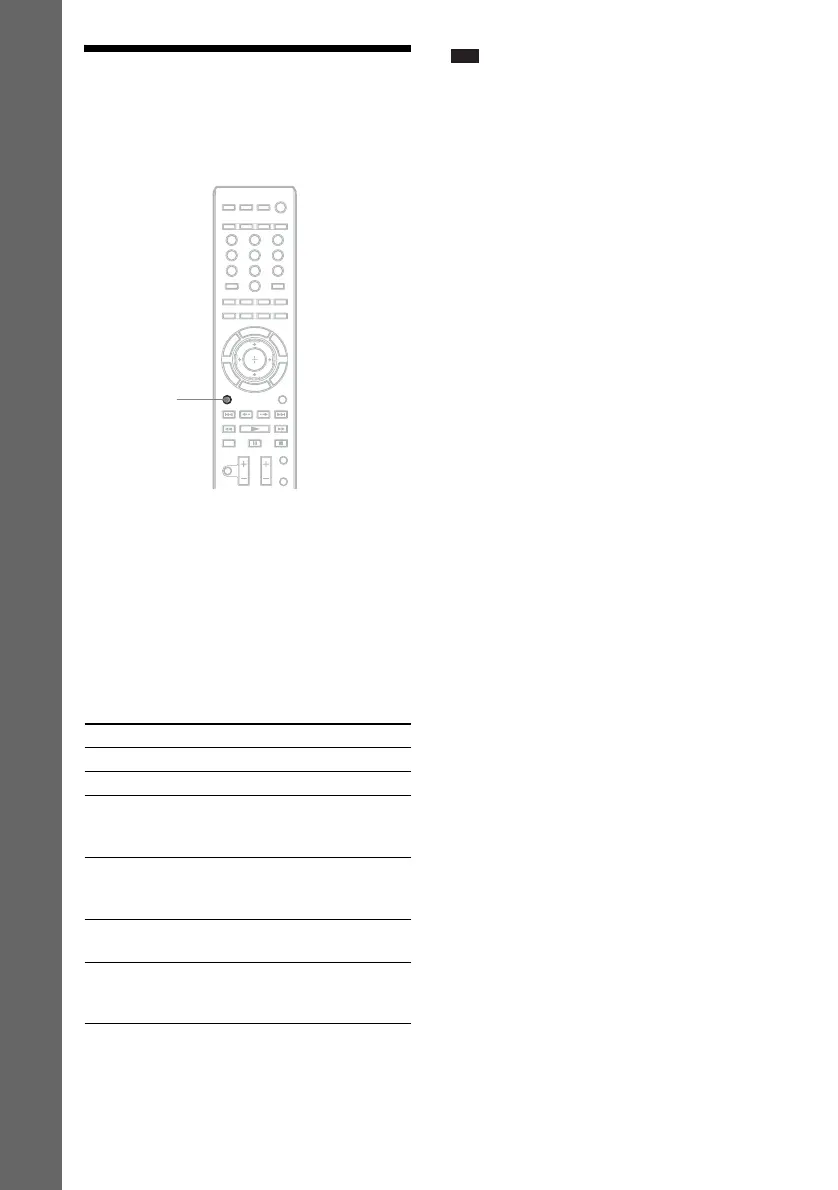
Press FUNCTION repeatedly until the
desired function appears in the front panel
display.
Each time you press FUNCTION, the function
changes as follows.
“BD/DVD” t “TUNER FM” t“TV” t
“SAT/CABLE” t “DMPORT” t “AUDIO”
t …
Note
• When you connect the system and the TV with an
audio cord, select “AUDIO” to enjoy TV sound with
this system.
If distortion occurs in the sound
of a connected component
You can reduce the input level for the connected
component. For details, see [Attenuate -
AUDIO] (page 70).
Function Source
“BD/DVD” Disc that is played by the system
“TUNER FM” FM radio (page 52)
“TV” TV (component that is connected
to the TV (DIGITAL IN
OPTICAL) jack (page 22))
“SAT/CABLE” Component that is connected to
the SAT/CABLE (DIGITAL IN
COAXIAL) jack (page 23)
“DMPORT” DIGITAL MEDIA PORT adapter
(page 57)
“AUDIO” Component that is connected to
the AUDIO (AUDIO IN L/R)
jacks (page 23)
321
654
987
0
FUNCTION


 To Next Page