21
Chapter 1 Overview
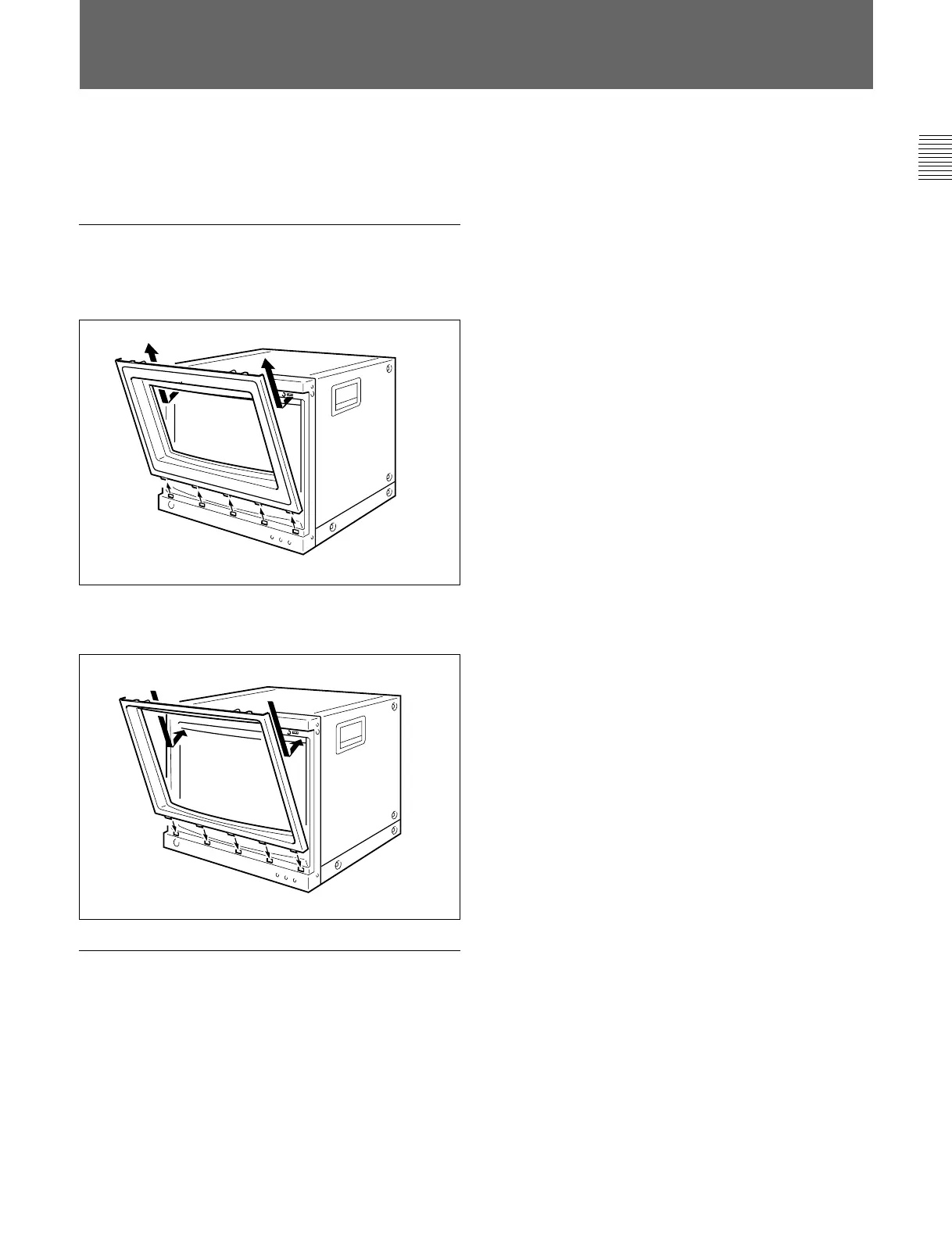
Installation of the 4:3 Mask
(BVM-D20F1U/D20F1E/D20F1A only)
When the BVM-D20F1U/D20F1E/D20F1A aspect
ratio is switched from 16:9 to 4:3, replace the 16:9
mask with the supplied 4:3 mask.
Installing the 4:3 mask
1 Remove the 16:9 mask by pulling the top side out
and then lifting up from the bottom side.
2 Install the 4:3 mask (supplied) by inserting the
bottom side and then pressing the top side in.
Replacing the 16:9 mask
Remove the 4:3 mask and replace the 16:9 mask using
the same procedures as those for installing the 4:3
mask.



 To Next Page
 Loading...


