25 (E)
Chapter 2 Menu
Basic Menu Operations
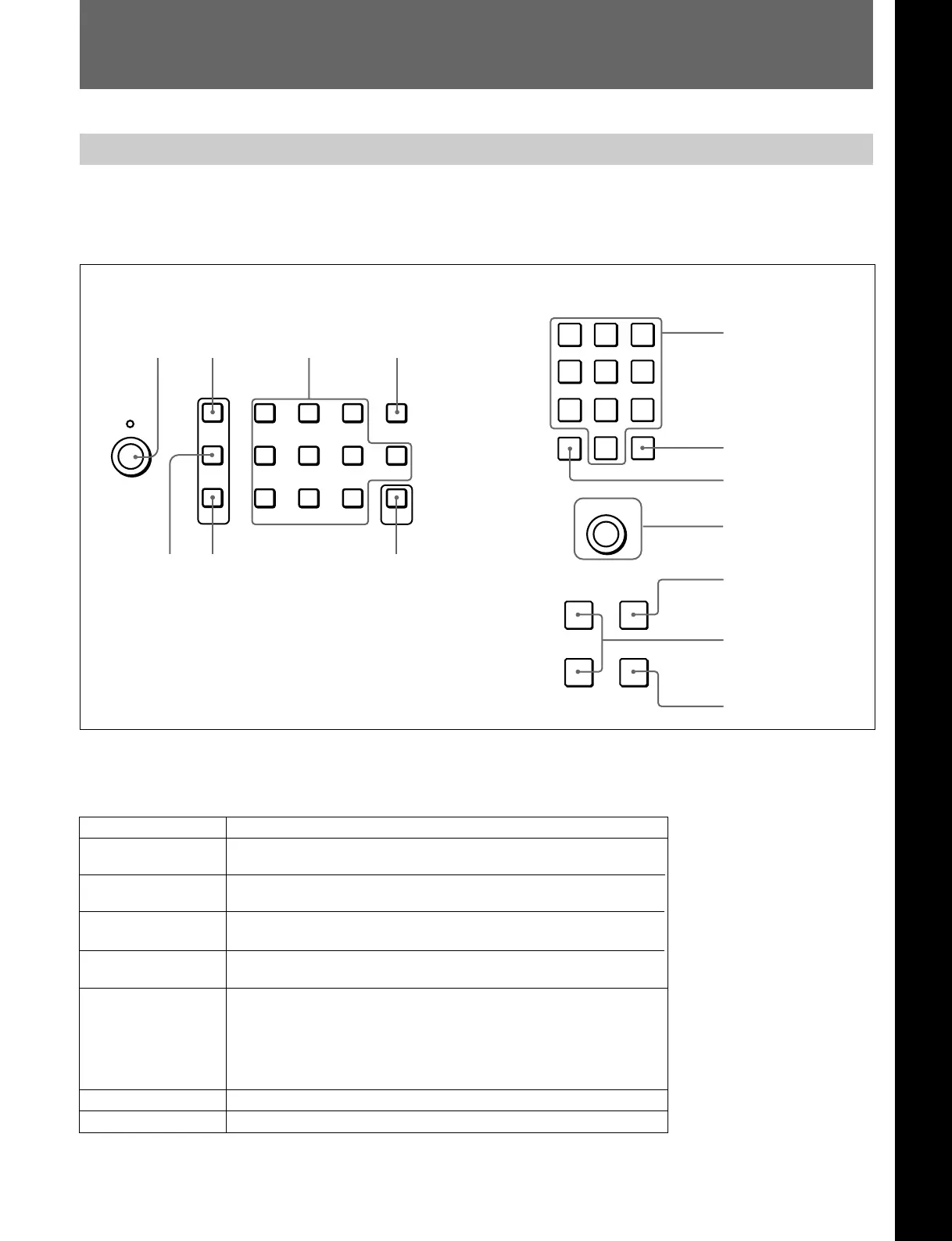
Menu Operation Buttons
Button Function
UP button Moves the cursor upward. In setting mode, increases the setting
and adjustment values.
DOWN button Moves the cursor downward. In setting mode, decreases the
setting and adjustment values.
The menus are operated using the menu operation
buttons on the front panel of the monitor or BKM-
10R/11R Monitor Control Unit.
The functions of the menu operation buttons are
described below.
MENU button Displays the Menus. Goes back to the menu of the upper level
(on the Main Menu, goes back to the normal picture).
ENTER button/ Executes the items selected and settings.
Ent button
PHASE knob By turning this knob clockwise, the cursor moves upward. In
setting mode, increases the setting and adjustment values (has
the same function as UP button).
By turning this knob counterclockwise, the cursor moves
downward. In setting mode, decreases the setting and
adjustment values (has the same function as DOWN button).
1 2 3 Del
4560
789
Ent
PHASE
MENU
UP
DOWN
UP MENU
DOWN
ENTER
INPUT
1
2
3
Del
4
5
6
0
7
8
9
Ent
PHASE
Buttons on the BVM-D9H5U/D9H5E/D9H5A
PHASE
knob
MENU button Numeric keypad Del button
UP
button
DOWN button
Ent button
Buttons on the BVM-D14H5U/D14H5E/D14H5A
Numeric keypad
Ent button
Del button
PHASE knob
MENU button
UP/DOWN buttons
ENTER button
Numeric keypad Enters the numerical values.
Del button Deletes the values and characters entered.
Chapter 2 Menu







 To Next Page