17
BVM Series
Aspect switch
The aspect ratio can be switched
between 4:3, 16:9, 2.39: 1, and 1.896:1
depending on the input signal.
* The BVM-F Series monitors support 16:9 and 4:3
only.
Marker settings
BVM-E and BVM-F Series monitors can display various markers,
including an aspect marker, safe area marker, and center
marker. In addition to this flexible selection of marker types,
detailed display settings of each marker are offered. For
example, the color, brightness, horizontal/vertical position,
and width of aspect markers can all be controlled, while the
height and width of safe area markers can be adjusted.
Marker Variation
Safe Area Marker
Aspect Marker*
% Dot (Pixel)
Selectable
Markers
80%, 88%, 90%, 93%,
or variable
Flexible
16:9, 15:9, 14:9, 13:9, 4:3,
2.39:1, 2.35:1, 1.896:1,
1.85:1, or 1.66:1
Line Colors
White, Red, Green, Blue, Yellow, Cyan, or Magenta
Line Width
1 to 5 dots (factory preset at 2 dots)
Line Luminance
High (bright) or Low (dark)
Blanking
—
Off: Blanking is released
Black: Blanking
Half: Half blanking
* The BVM-F Series monitors support Aspect Markers of 16:9 and 4:3 only.
Aspect Mode: 2.3:1,
Safe Area: Shape A,
Area Size: 80
Aspect Mode: 14:9,
Safe Area: Shape B,
Area Size: 80
Aspect Mode: 4:3,
Safe Area: Shape C,
Area Size: 80
Marker Examples
16:9 4:3
16:9
2.39:1
1.896:1
2.39:1
Screen image is simulated
Screen image is simulated
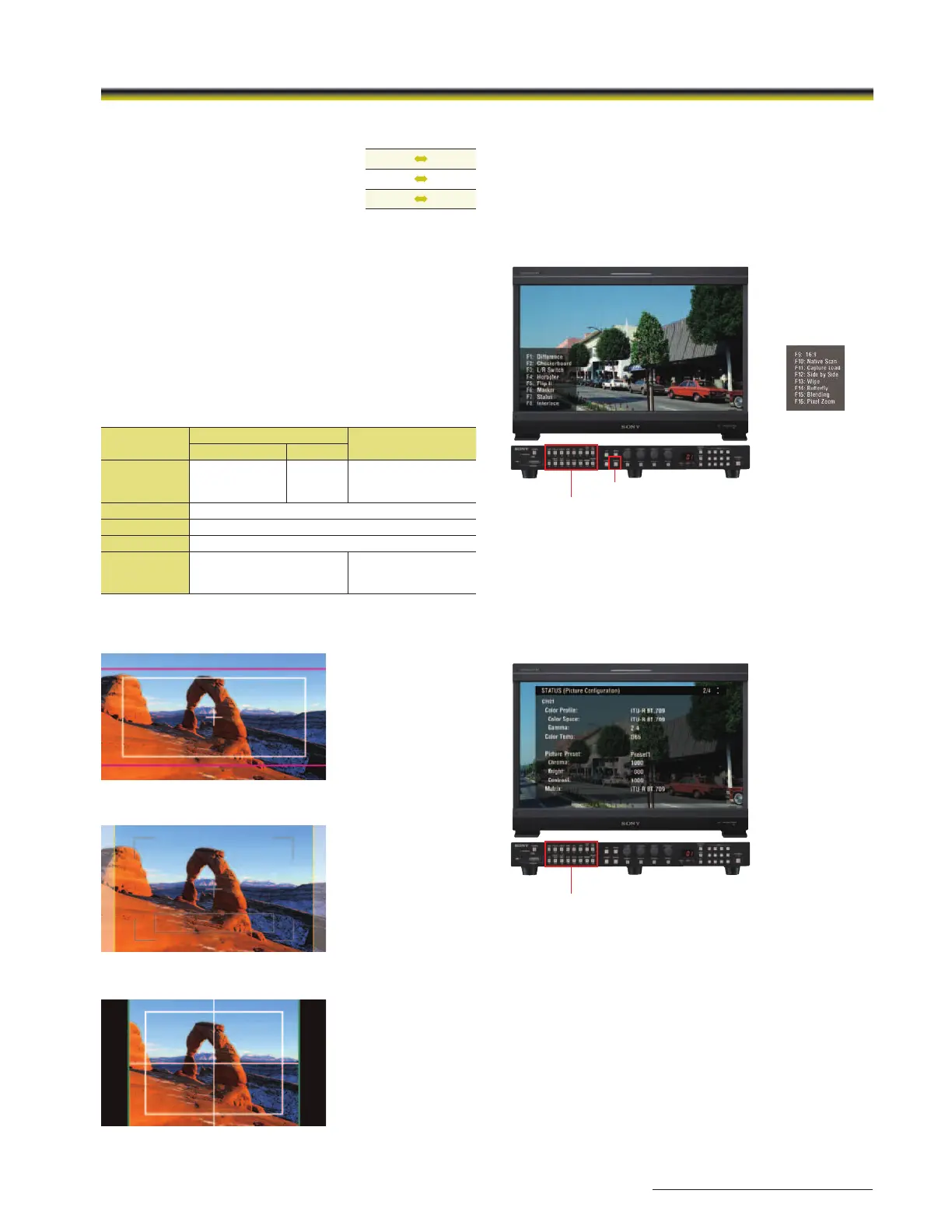
Wide Variety of Functions
The user has a wide variety of over 40 functions to choose
from.
Each of these can be assigned to any of the 16 function
buttons (F1 to F16) on the BKM-16R controller.
Press ENTER to display the F1 to F8 (or F9 to F16) button
assignment on screen.
Status Display
Simply assign STATUS to one of the function buttons (F1 to F16)
on the BKM-16R controller.
The user can instantly grasp the whole monitor status and
configurations without having to search through menus.
F1 to F16 function buttons
F1 to F16 function buttons
ENTER button
(The next Function
display)


 To Next Page
 Loading...
