Setting Up the Camera
13
Setting Up the Camera
Attaching a Lens to the Camera
Attach an optional lens as described below.
For details on the lens, refer to the instruction manual
furnished with the lens.
Attaching procedure
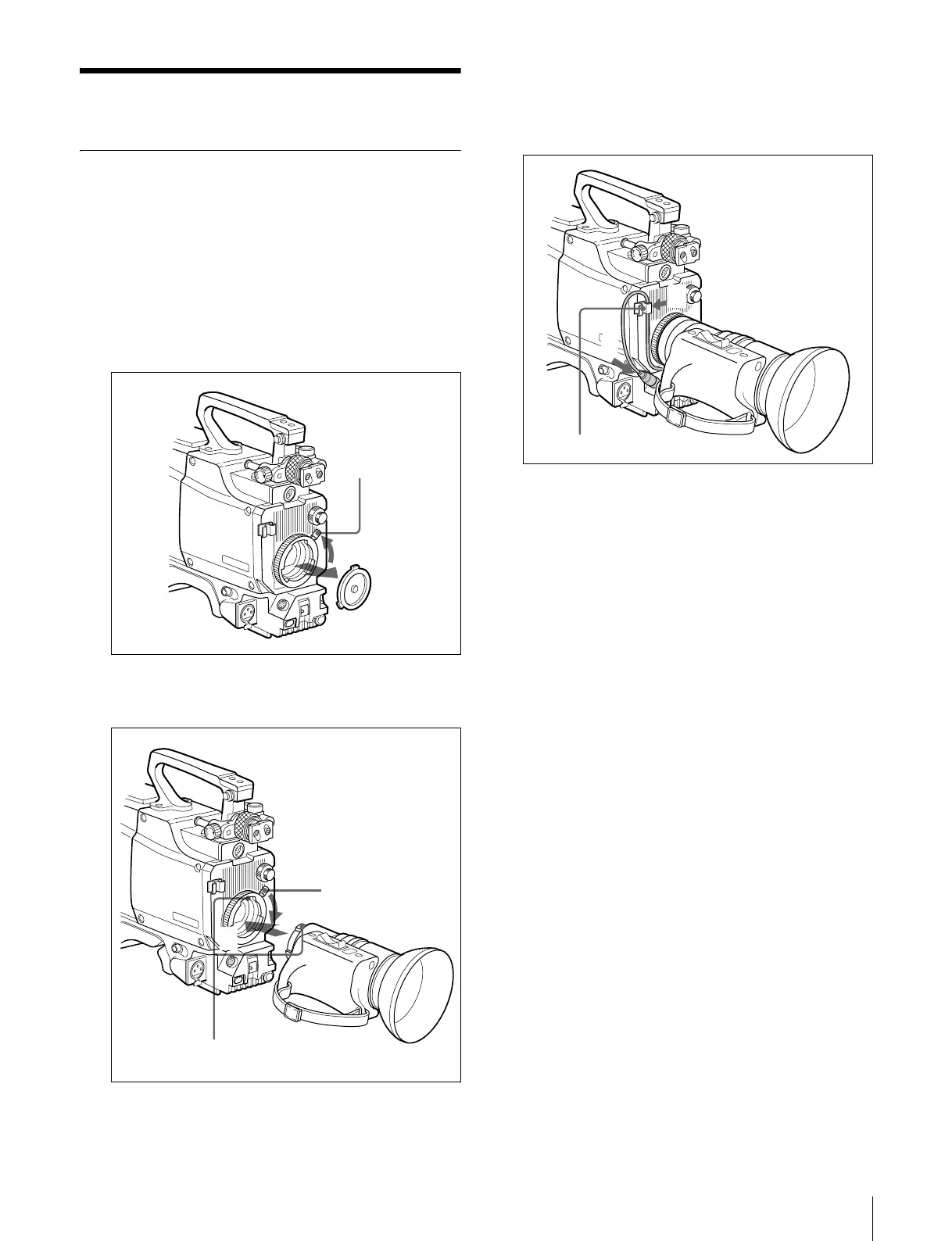
1
Turn the lens mount lever on the front panel fully
counterclockwise and remove the mounting cap.
2
Align the center pin of the lens with the recess at the
top of the lens mount section and set the lens in place.
3
Turn the lens mount lever fully clockwise while
holding the lens to secure it.
4
Connect the lens cable to the LENS connector.
5
Secure a cable with the cable clamp.
Lens mount lever
2
3
Lens mount lever
Align the center pin with
the recess.
5
4
Cable clamp








 To Next Page