EasyManua.ls Logo

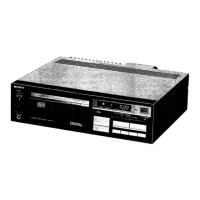
Sony CDP-101 - Front Panel Control Locations

Sony CDP-101
88 pages
Print Icon
To Next Page IconTo Next Page
To Previous Page IconTo Previous Page
Loading...
CDP-101
y
“4
4
;
;
{
(
i
!
\
1-4.
LOCATION
AND
FUCNTION
OF
CONTROLS
Before
plugging
in
or
attempting
to
operate
this
unit,
it
is
suggested
that
you
familiarize
yourself
with
all
its
switches
and
controls
and
the
purpose
of
each.
Each
number
in
the
photo
is
keyed
to
the
descriptive
text.
#
OPEN/CLOSE
button
and
indicator
@
Disc
compartment
@
@
HEADPHONES
jack
@
HEADPHONES
LEVEL
control
@
tmeR
PLAY
switch
©
owen
switch
@
@
OPEN/CLOSE
button
and
indicator
With
one
touch
of
this
button
the
disc
compartment
opens
for
disc
loading.
The
indicator
on
the
OPEN/CLOSE
button
will
illuminate
while
the
compartment
is
opening.
With
another
touch
the
com-
partment
closes.
@
Disc
compartment
Place
a
compact
disc
here.
©
POWER
switch
Depress
to
turn
on
the
power.
The
‘1”
indicator
will
appear
in
the
display
window
in
a
few
seconds.
To
turn
the
power
off,
press
the
switch
again.
@
TIMER
PLAY
switch
You
can
set
the
player
to
play
a
disc
at
a
predetermined
time
by
connecting
any
commercially
available
timer.
To
play,
set
this
switch
to
ON.
See
“Timer-activated
play”
on
page
19.
@
HEADPHONES
LEVEL
contro!
This
control
adjusts
the
volume
at
the
headphones.
At
the
minimum
position,
the
sound
is
just
audible.
@
HEADPHONES
jack
(stereo
phone
jack)
Accepts
any
low
or
high
impedance
stereo
headphones.
@
REPEAT
programming
buttons
Press
these
buttons
to
program
repeat
play
of
the
disc.
1
button:
To
repeat
the
selection
now
being
played.
To
release
repeat
play,
press
the
button
again.
ALL
button:
To
repeat
all
the
selections
on
the
disc.
To
release
repeat
play,
press
the
button
again.
Display
window
REPEAT
programming
buttons
and
indicators
8)
REMOTE SENSOR
and
indicator
©
LAPREMAINING
TIME
button
AUTOMATIC
MUSIC
SENSOR
buttons
Manual
search
buttons
@
&
Pay
button
and
indicator
®
ff
PAUSE
button
and
indicator
@)
RESET
button
~
A+B
button:
To
repeat
play
between
specific
points
on
the
disc.
With
one
touch
of
this
button
the
built-in
indicator
flickers
and
the
point
where
the
button
has
been
pressed
is
memorized
as
the
‘‘A”
(start)
point
of
repeat
play.
With
another
touch,
the
built-in
indicator
itluminates
steadily
and
the
point
where
the
button
has
been
pressed
a
second
time
is
memorized
as
the
‘‘B”
(end)
point
of
repeat
play.
When
the
CLEAR
button
is
pressed,
this
repeat
play
will
be
cancelled.
Any
repeat
program
is
also
cancelled
when
another
REPEAT
pro-
gramming
button
is
pressed.
©
REMOTE
SENSOR
and
indicator
(for
remote
control)
The
infrared
beam
transmitted
by
the
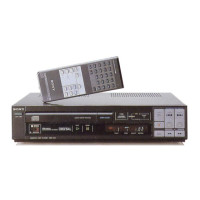
supplied
Remote
Commander
is
received
here.
The
indicator
blinks
to
indicate
that
a
faneeion
key
of
the
Remote
Commander
has
been
pressed.
@
LAP
(elapsed)/REMAINING
TIME
button
The
time
counter
normaily
indicates
elapsed
time.
When
this
button
is
pressed,
the
time
counter
will
show
the
time
re-
maining
before
the
end
of
the
last
selection,
preceded
by
a
minus
sign.
When
this
button
is
pressed
a
second
time,
the
time
counter
will
again
become
a
normal
time
counter.
@
AUTOMATIC
MUSIC
SENSOR
buttons
K@@
(back
selection)
button:
Press
to
go
back
to
a
previous
selection.
bP
(forward
selection)
button:
selection.
@
Manual
search
buttons
Keep
holding
the
appropriate
button
down
to
search
for
a
particular
point
on
the
disc
during
either
play
or
pause.
You
can
monitor
the
disc
sound
reproduced
in
forward
or
in
reverse
at
a
high
speed
while
searching
during
play.
Press
to
skip
ahead
to
a
later

Related product manuals