EasyManua.ls Logo

Sony CDP-C8ESD - Page 7

Sony CDP-C8ESD
27 pages
Print Icon
To Next Page IconTo Next Page
To Previous Page IconTo Previous Page
Loading...
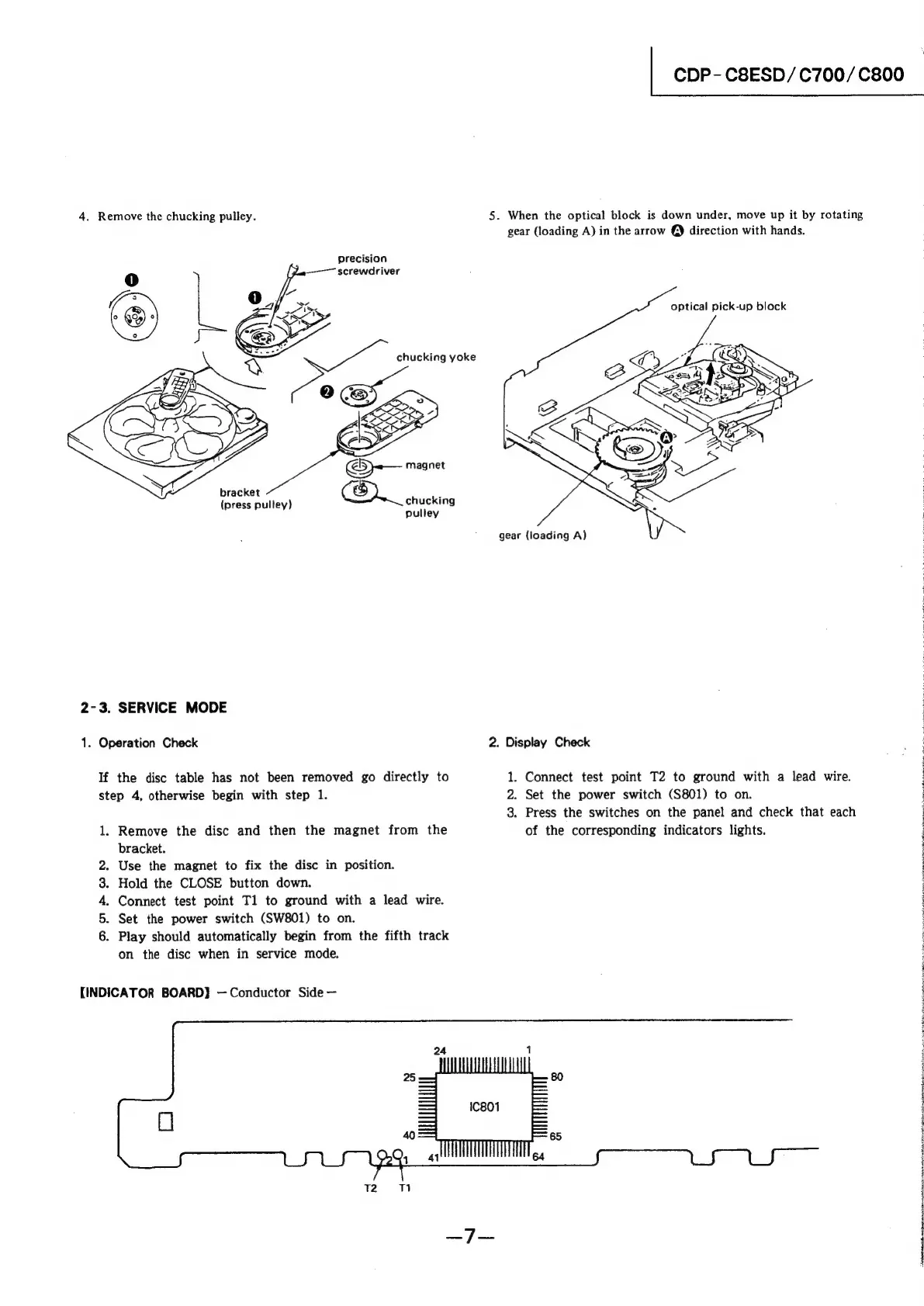
4.
Remove
the
chucking
pulley.
precision
screwdriver
<-—
magnet
bracket
Om
;
(press
pulley)
chucking
pulley
2-3.
SERVICE
MODE
1.
Operation
Check
If
the
disc
table
has
not
been
removed
go
directly
to
step
4,
otherwise
begin
with
step
1.
1.
OnrRon
Remove
the
disc
and
then
the
magnet
from
the
bracket.
Use
the
magnet
to
fix
the
disc
in
position.
Hold
the
CLOSE
button
down.
Connect
test
point
Tl
to
ground
with
a
lead
wire.
Set
the
power
switch
(SW801)
to
on.
Play
should
automatically
begin
from
the
fifth
track
on
the
disc
when
in
service
mode.
[INDICATOR
BOARD}
Conductor
Side
CDP-
C8ESD/C700/C800
5.
When
the
optical
block
is
down
under,
move
up
it
by
rotating
gear
(loading
A)
in
the
arrow
@)
direction
with
hands.
gear
(loading
A)
1.
optical
pick-up
block
2.
Display
Check
Connect
test
point
T2
to
ground
with
a
lead
wire.
2.
Set
the
power
switch
(S801)
to
on.
Press
the
switches
on
the
panel
and
check
that
each
of
the
corresponding
indicators
lights.
3.

Related product manuals