Playing CDsPlaying CDs
11
EN
To cancel Shuffle Play
Press CONTINUE.
You can start Shuffle Play while playing
Press SHUFFLE, and Shuffle Play starts from the current
track.
Creating Your Own Programme
(Programme Play)
You can arrange the order of the tracks on the discs
and create your own programme. The programme can
contain up to 32 tracks.
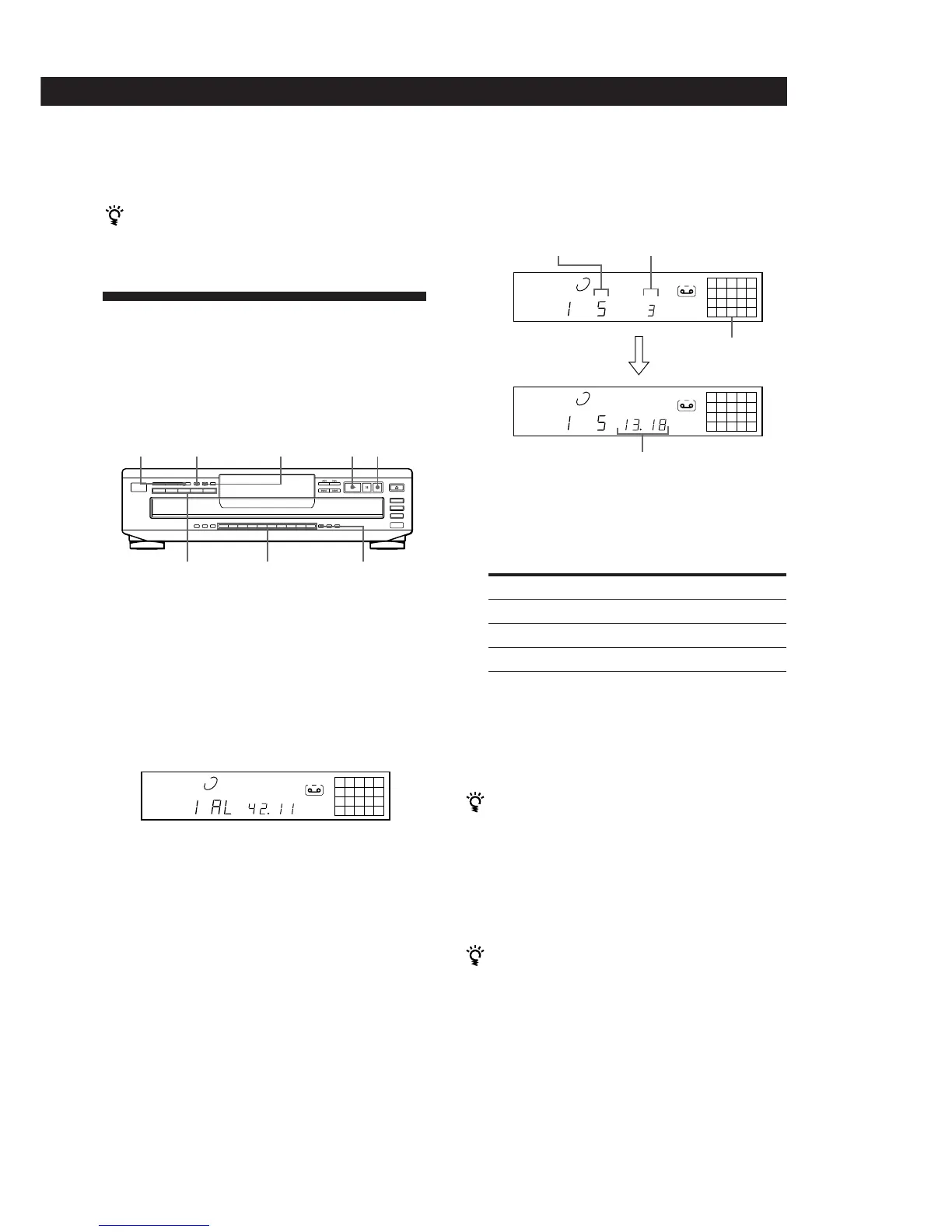
PROGRAM CHECK
DISC 1 – 5 Number buttons >10
p·
CLEAR
1 Press PROGRAM.
“PROGRAM” appears in the display.
If a programme is already stored, the last step of
the programme appears in the display. When you
want to erase the whole programme, hold down
CLEAR until “ALL CLr” appears in the display
(see page 12).
2 Press DISC 1 – 5 to select the disc.
“AL” in the display stands for “all” tracks.
When you want to programme the whole disc as
one step, skip Step 3 and go to Step 4.
3 Press the number buttons of the tracks you want to
programme in the order you want.
To programme the track numbered over 10, use
the >10 button (see page 10).
Playing orderLast programmed
track
Programmed
tracks
Total playing time
After one second
If you’ve made a mistake
Press CLEAR, then press the correct number button.
4 To programme other discs or tracks, do the
following:
To programme
Other discs
Other tracks on the same disc
Other tracks on other discs
5 Press · to start Programme Play.
To cancel Programme Play
Press CONTINUE.
You can create your programme while checking the
disc labels
While the disc tray is open, follow Steps 1 to 5 with
pressing DISC SKIP to check the disc labels. If you close
the disc tray before Step 5, the total playing time appears
in the display after a while.
Note that, if the programmed track number isn’t found
on the disc, that step is automatically erased.
The programme remains even after the Programme
Play ends
When you press ·, you can play the same programme
again.
Repeat Step(s)
2
3
2 and 3
12345
678910
1 2 3 4 5
DISC
TRACK
MIN SEC
PROGRAM
A
25
8
1 2 3 4 5
DISC
TRACK
MIN SEC
PROGRAM
A
25
8
1 2 3 4 5
DISC
TRACK
STEP
PROGRAM
A



 To Next Page