6
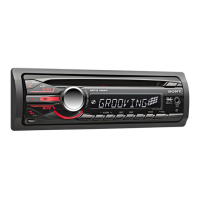
Location of controls and basic operations
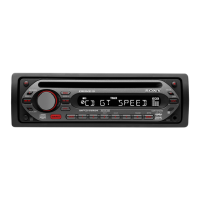
Main unit
RM-X151 Card Remote
Commander
This section contains instructions on the location
of controls and basic operations.
For details, see the respective pages.
The corresponding buttons on the card remote
commander control the same functions as those
on the unit.
A SEEK +/– buttons
Radio:
To tune in stations automatically (press); find
a station manually (press and hold).
CD:
To skip tracks (press); skip tracks
continuously (press, then press again within
about 1 second and hold); reverse/fast-
forward a track (press and hold).
B EQ3 (equalizer) button page 10
To select an equalizer type (XPLOD,
VOCAL, EDGE, CRUISE, SPACE,
GRAVITY, CUSTOM or OFF).
C SOURCE/OFF button
Press to turn on the power/change the source
(Radio/CD/AUX).
Press for 1 second to turn off the power.
Press for more than 2 seconds to turn off the
power and the display disappears.
D Control dial/select button
To adjust volume (rotate); select setup items
(press and rotate).
E Disc slot
Insert the disc (label side up), playback
starts.
F Display window
OFF
DSPL
SCRL
SEL
SOURCE
MODE
132
465
ATT
VOL
+
–
+
–
qj
ws
qa
qh
wf
qk
ql
wa
w;
wg
wd


 To Next Page
 Loading...