13
Labelling a CD — Disc Memo
(For a CD unit with the custom file function)
You can label each disc with a personalised
name. You can enter up to eight characters for
a disc. If you label a CD, you can locate the
disc by name (page 14) and select the specific
tracks for playback (page 15).
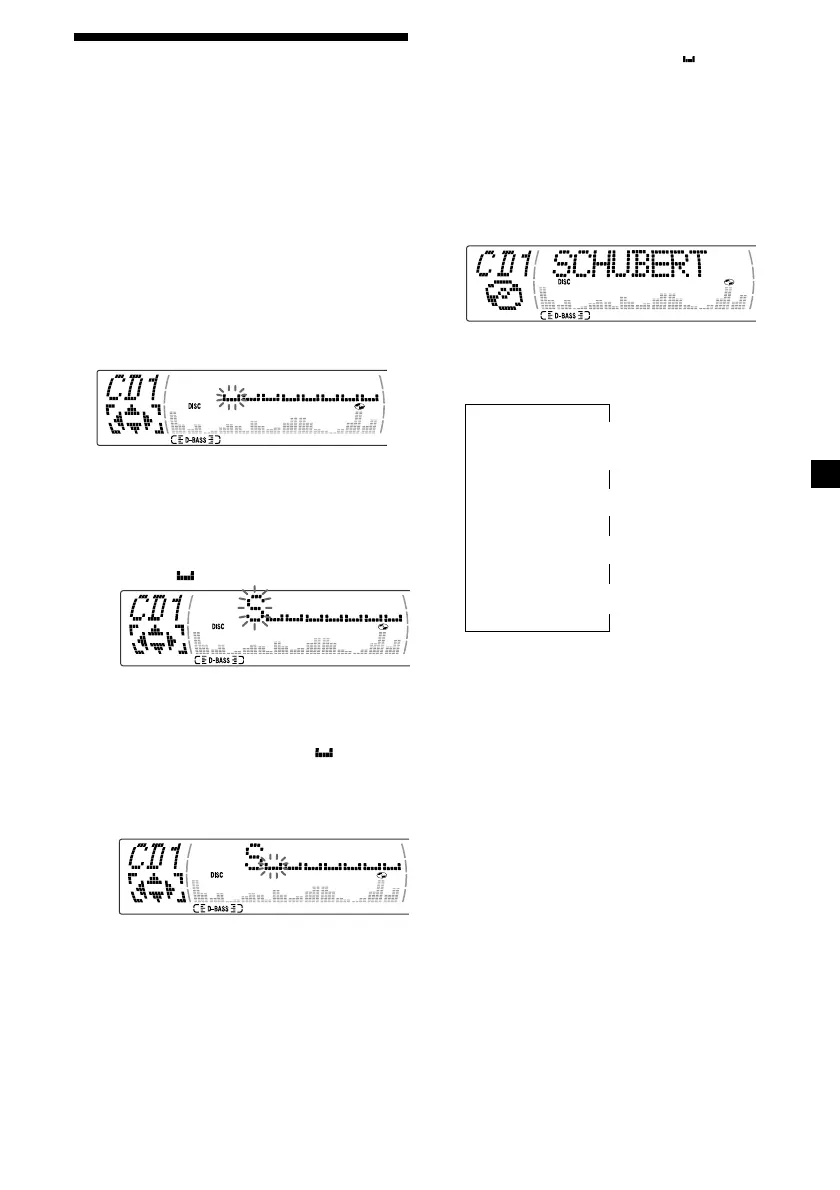
1 Start playing the disc you want to label.
2 Press (MENU), then press M or m
repeatedly until ”Name Edit” appears.
3 Press (ENTER).
Name edit mode
4 Enter the characters.
1 Press M repeatedly to select the
desired characters.
(A t B t C t ··· Z t 0 t 1 t 2 t
··· 9 t + t – t * t / t \ t > t <
t . t )
If you press m repeatedly, the characters
will appear in reverse order.
If you want to put a blank space
between characters, select “ .”
2 Press , after locating the desired
character.
The next character flashes.
If you press < , the previous character
flashes.
3 Repeat steps 1 and 2 to enter the
entire name.
5 To return to normal CD play mode, press
(ENTER).
Tips
• To erase or correct a name, enter “
” for each
character.
• There is another way to start labelling a CD. Press
(LIST) for two seconds instead of steps 2 and 3.
You can also complete the operation by pressing
(LIST) for two seconds instead of step 5.
Displaying the disc memo
Press (DSPL/PTY) during CD or CD TEXT
disc playback.
Each time you press (DSPL/PTY) during CD
or CD TEXT disc playback, the item
changes as follows:
V
Disc number*
1
/Track number/
Elapsed playback time
V
Disc memo name
V
Track name*
2
V
FM1 frequency*
3
*
1
While an optional CD unit is connected.
*
2
If you connect an optional CD unit with the
CD TEXT function, the CD TEXT information
will appear in the display when you play a
CD TEXT disc.
*
3
While the AF/TA function is activated.
continue to next page t



 To Next Page